09.11.2026 – Pavel Klavík, Kamila Klavíková
While working on OrgPad's new landing page, we have spent a lot of time making it small and fast. This includes optimizing JS bundle size with ClojureScript, using the AVIF image format and optimizing video sizes by encoding them in multiple formats. In the blog post, we describe our experience and what we learned along the way.
#development, #AVIF, #ClojureScript, #tech, #performance
In the previous blog post, we have described OrgPad's new landing page and how it was built. We wanted a fast landing page with a small JavaScript bundle and a light media footprint. It should load promptly and keep visitors engaged. We set a target of about 200 kB of JavaScript for animations, video playback, and basic analytics. In this blog post, we discuss how the size was optimized.
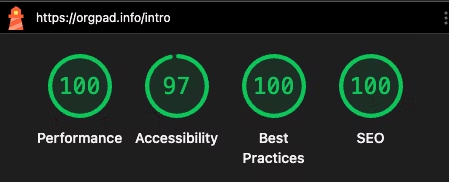
Here are the Lighthouse scores for the landing page:
Nearly perfect. The accessibility score is reduced because the orange buttons with white text do not meet WCAG 2’s contrast-ratio requirement. That ratio can be misleading for some colour combinations, including orange backgrounds. APCA better reflects how people perceive contrast and considers these buttons accessible. We discuss these color-contrast models in our blog post about OrgPad’s dark mode.
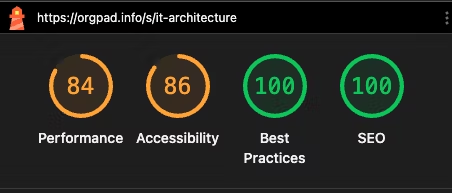
In comparison, Lighthouse scores for OrgPad’s app are lower because its JavaScript bundle is much larger and the app performs substantial work at load time to prepare the rendering engine. They are still solid for a web application with OrgPad’s capabilities.
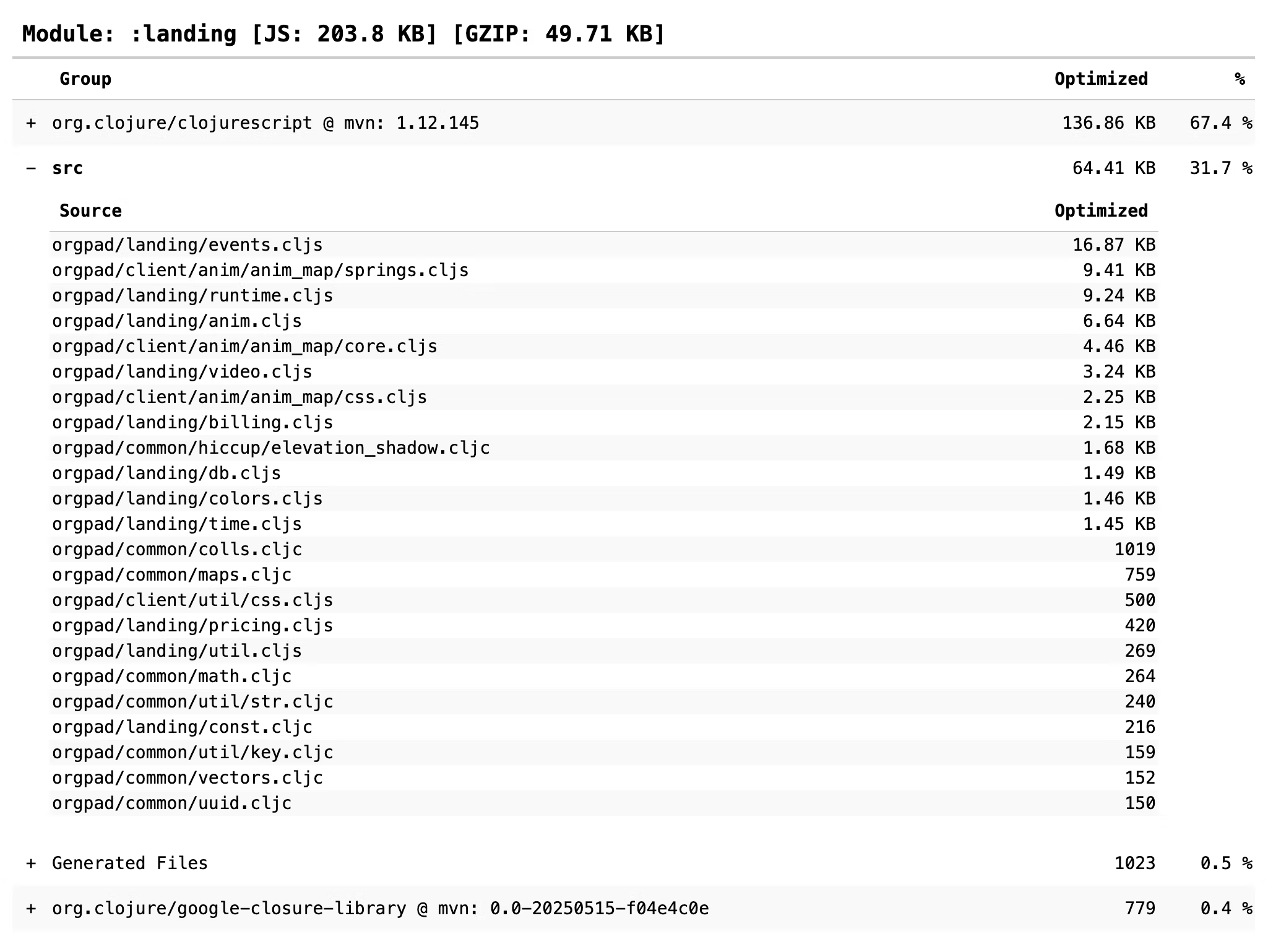
We use shadow-cljs for building our ClojureScript code. It has built-in report functionality that generates an HTML overview of the JS bundle:
shadow-cljs build-report landing-js report-landing.html
It shows how much each dependency and Clojure namespace contributes.
The overall size of the optimized JS bundle is a little above 200 kB, which is perfectly fine for a smooth experience. When gzipped, it is just 50 kB. And we serve Brotli when the browser supports it, which cuts it down to 41 kB.
find resources/public/js/compiled resources/public/css \
  -type f -name '*.js' -print0 |
  xargs -0 -n 1 brotli --quality=11 --force --keep
find resources/public/js/compiled resources/public/css \
  -type f -name '*.js' -print0 |
  xargs -0 -n 1 gzip -9 --no-name --force --keep
We have spent some time optimizing the bundle size. Codex was very helpful here: it can analyze the bundle and suggest straightforward ways to reduce its size.
First of all, one should avoid unnecessary dependencies. In our case, it is just ClojureScript and a few functions from the Google Closure Library. Since advanced compilation by the Google Closure Compiler analyzes the code and removes unused functions, it can produce a small bundle. And we can share some functionality from OrgPad's codebase.
Unfortunately, it is quite easy to include a lot of unnecessary code this way. For example, OrgPad's color palette is centralized in one map, as we discussed in our blog post about dark mode. Suppose that we require this namespace for a few colors which are actually needed in the landing page code, say for animations. Then the entire map will be added to the codebase, and together with other required namespaces like color conversion functions and HTML color tables, it can add an extra 30 kB of code. Just for a few colors.
We could just copy these two colors into landing page code but that creates unnecessary duplication in the code. A better solution is to use Clojure macros which run at compile time, retrieve these two colors from the map, and just store them in the landing page code. It works like this:
(def ^:private color-ids
  [:color/text-muted
   :color/text
   :color/accent
   :color/action-text
   :color/primary
   :color/footer-link-hover])

(defn- color->point
  [color]
  (when color
    (case (count color)
      7 (colors-util/color->point color)
      9 (let [[r g b a] (colors-util/color-with-alpha->point color)]
          [r g b (/ a 255.0)]))))

(defn- color-entries
  [id]
  (let [dm-id (key-util/add-prefix id "dm-")]
    [[id (color->point (css-colors/landing-colors id))]
     [dm-id (color->point (css-colors/landing-colors dm-id))]]))

(defmacro colors
  []
  (maps/prune-nils
    (colls/mapcatm color-entries color-ids)))
Inside the landing page code, we can just call this macro to create a local table of needed colors:
(def colors (colors-macros/colors))
Similarly, for routing, we use a macro to avoid including OrgPad's full routing table just for a few paths needed in the landing page code.
Another trick is to rewrite the included code in a way which makes it smaller in the bundle. For example, Clojure vectors and maps create larger JS output than JS arrays and objects. This is one of the problems with Re-frame subscriptions: they use a lot of Clojure vectors for syntax formatting. This makes the subscription much larger in your code bundle while not doing anything interesting. In OrgPad's code, we use custom Re-frame helpers for generating subscriptions in a more efficient way.
For landing page, we have also used this to optimize the bundle size in a few namespaces. For example, we have a shared namespace which describes box shadows for different values of elevation, based on Material-UI. The original code described each shadow level by a map.
(def shadows
  "The values of box-shadow for three shadows and elevations
  1 to 24. Copied from Material-UI styles."
  [#:shadow{:alpha      0.2
            :elevations [#:elevation{:y 2 :blur 1 :spread -1}
                         #:elevation{:y 3 :blur 1 :spread -2}
                         #:elevation{:y 3 :blur 3 :spread -2}
                         #:elevation{:y 2 :blur 4 :spread -1}
                         #:elevation{:y 3 :blur 5 :spread -1}
                         ;; many more
                         ]}
   #:shadow{:alpha      0.14
            :elevations [#:elevation{:y 1 :blur 1 :spread 0}
                         #:elevation{:y 2 :blur 2 :spread 0}
                         #:elevation{:y 3 :blur 4 :spread 0}
                         #:elevation{:y 4 :blur 5 :spread 0}
                         #:elevation{:y 5 :blur 8 :spread 0}
                         ;; many more
                         ]}
   #:shadow{:alpha      0.12
            :elevations [#:elevation{:y 1 :blur 3 :spread 0}
                         #:elevation{:y 1 :blur 5 :spread 0}
                         #:elevation{:y 1 :blur 8 :spread 0}
                         #:elevation{:y 1 :blur 10 :spread 0}
                         #:elevation{:y 1 :blur 14 :spread 0}
                         ;; many more
                         ]}])
First, we have replaced each elevation description by a compact vector [y blur spread]:
(def shadows
  "The values of box-shadow for three shadows and elevations
  1 to 24. Copied from Material-UI styles. Each elevation is
  described by a vector [y blur spread]."
  [#:shadow{:alpha      0.2
            :elevations (elevations [[2 1 -1]
                                     [3 1 -2]
                                     [3 3 -2]
                                     [2 4 -1]
                                     [3 5 -1]
                                     ;; many more
                                     ])}
   ;; the same for the other two shadows
   ])
This would still keep vectors of vectors in the code. Instead, it runs through elevations macro which replaces it with JS arrays of JS arrays in the output code:
#?(:clj
   (defmacro elevations
     [values]
     (if (:ns &env) ;; in ClojureScript only
       (->> values (map (fn [elevation] (list* 'array elevation)))
            (list* 'array))
       values)))
In this way, the size of the resulting bundle got smaller by about 2 kB. For this code, we can just keep it as JS arrays, but if we wanted to have Clojure data structures in memory instead, we could convert them on JS load. This allows one to trade between JS bundle size and load time. We were using this approach when we included Unicode code-point tables before Intl.Segmenter was supported in all browsers.
The most popular image formats on the web are PNG and JPEG, created in the early 1990s. Nowadays, much better image formats are available, supporting more functionality and offering much smaller file sizes at the same quality.
One of these formats is WebP, created by Google in 2010. It is supported in all modern browsers since 2022. Another one is AVIF, created by the Alliance for Open Media in 2019. It is an image format based on the AV1 video codec (AVIF means AV1 Image File Format) and it offers an even better compression ratio than WebP. Since 2024, it has been supported in all modern browsers, so for a new website there is little reason not to use it.
Here is a comparison of compression capabilities on one of our photos from Japan, taken in 2013, at a resolution of 1000×667.



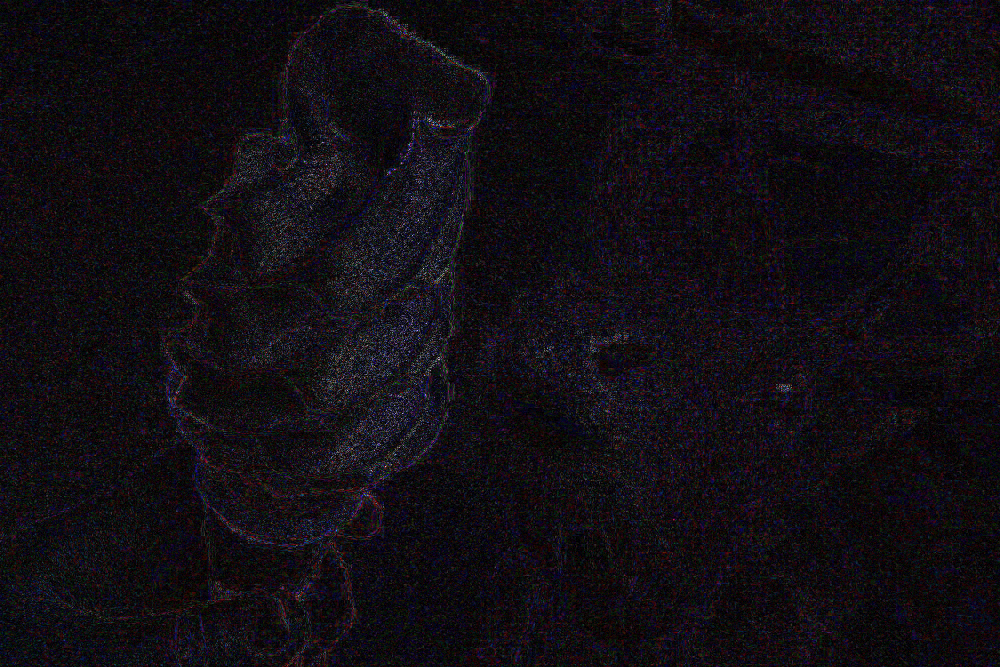

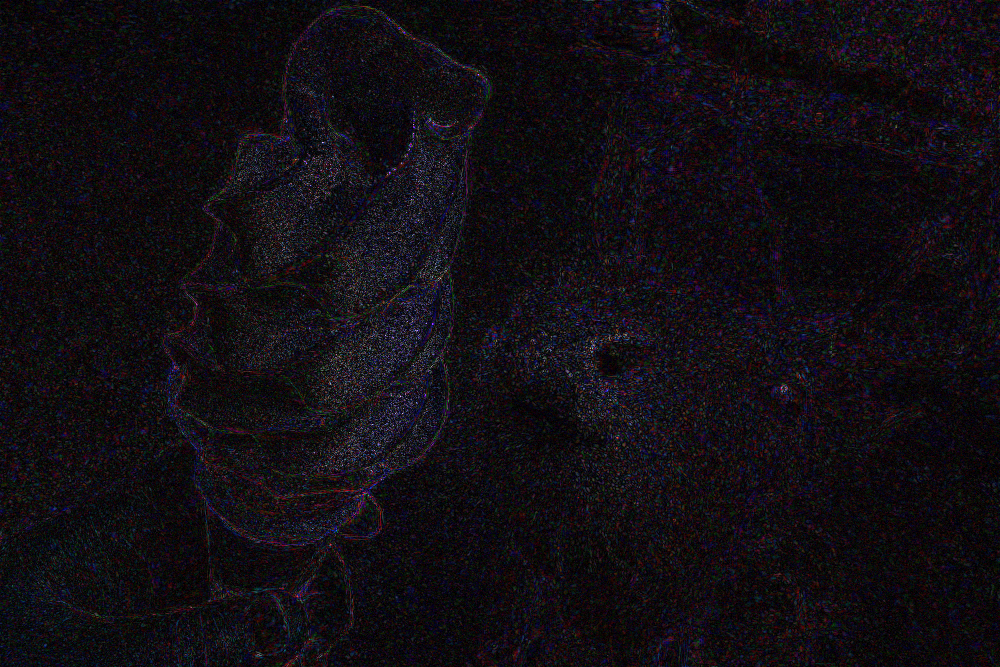
The error was computed from the original 4272×2848 image, downscaled to a 1000×667 PNG. We have set the compression levels for these three images so that the overall error is almost identical. The structure of the error is displayed in the three images above, where a lighter color means that the pixel is more different from the generated PNG.
| Format | Size | MAE | RMSE | PSNR |
|---|---|---|---|---|
| JPG | 49.0 kB | 0.839% | 1.138% | 38.880 dB |
| WebP | 38.7 kB | 0.843% | 1.140% | 38.864 dB |
| AVIF | 24.6 kB | 0.835% | 1.138% | 38.875 dB |
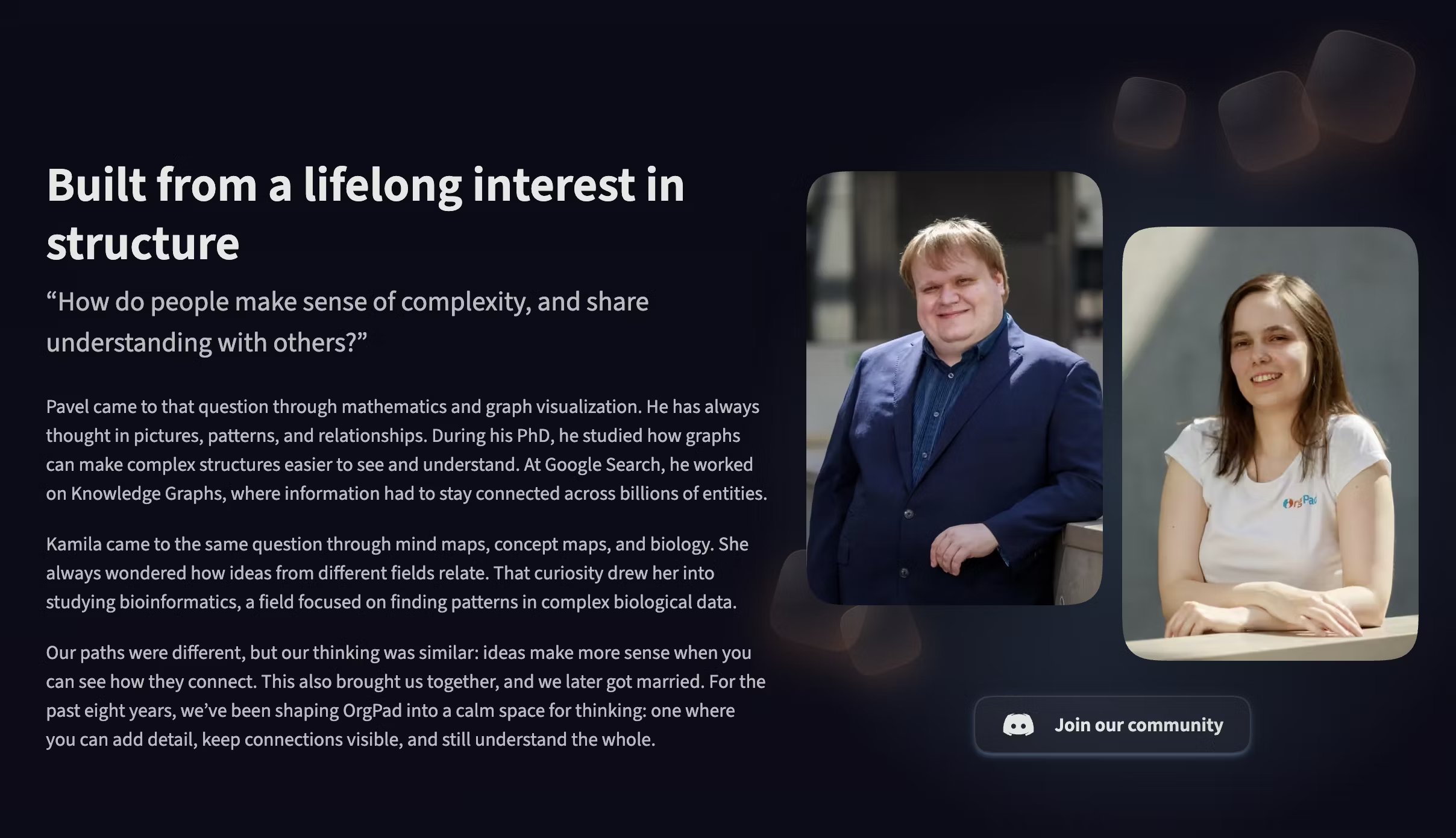
On the landing page, we have massively optimized the size of the images using AVIF. For example, the founder photos at 586×720 just take 8.5 kB and 5.4 kB. The compression is massive and visible, but these photos are meant for Retina displays and rendered at a maximum of 360 CSS pixels. So when viewed on a Retina display, the compression is no longer visible.
Thanks to AVIF, the total size of all images on the landing page is just 47.8 kB. There are also about 500 kB of AVIF video posters, which are images of the first frame for each video. But these are loaded selectively based on the display size, so at most about 300 kB are loaded on desktop Retina screens.
Before we started working on the landing page, I knew that AVIF existed and was supported in browsers, but I was not familiar with it. It turned out to be so efficient that we rewrote OrgPad to convert all uploaded images into AVIF.
OrgPad always preserves the original uploaded image, but computes smaller downscaled versions, which are used for more efficient loading and rendering. All these computed images are now AVIFs.
The savings are about 70% compared with existing PNG and JPEG thumbnails. For PNGs, it saves 85% on average, while for JPEGs it saves just 30%. And that's including storing the full-size thumbnail again in AVIF, while previously we could serve the uploaded PNG/JPEG directly.
The landing page contains five different videos showcasing OrgPad in various situations, with an overall playtime of 3.5 minutes. Actually, there are six videos, since a different top video is used for portrait and landscape screens. Further, we have different videos for light and dark mode, showcasing OrgPad in these modes. So the landing page has a lot of video content, and loading it quickly is important. This is especially true for the top video, which should be visible and start playing as soon as possible.
Therefore, we have spent a lot of time optimizing video sizes by running multiple encodings and comparing the resulting qualities. Codex was very helpful in exploring the space of all encodings and managing ffmpeg. It ran each video through multiple encoding options and then generated an HTML comparison page where we could easily check video quality and encoding size. Overall, this took multiple days to encode all these videos on our M1 MacBook Pro.
It is possible to use multiple video sources for one video and the browser will pick the best one at the required resolution which can be played. So we encoded each video with three different codecs: AV1, HEVC and H.264. They are also available in multiple resolutions, so a large Retina display can render a large, sharp video while a smaller screen can load a smaller video. Media queries and type attributes with precise codec strings let us control which video is loaded.
<video
  id="video-intro"
  class="light-only"
  aria-label="OrgPad map exploring neurons and dopamine"
  muted
  preload="auto"
  disablepictureinpicture
  playsinline>
  <source
    media="(min-resolution: 2dppx) and (min-width: 960px),
           (min-resolution: 1.5dppx) and (min-width: 1280px)"
    type='video/webm; codecs="av01.0.13M.08"'
    src="/static/landing/video/intro-full.76fb2bd1.webm">
  <source
    media="(min-resolution: 2dppx) and (min-width: 960px),
           (min-resolution: 1.5dppx) and (min-width: 1280px)"
    type='video/mp4; codecs="hvc1.1.6.L153.90"'
    src="/static/landing/video/intro-full-hevc.73336134.mp4">
  <source
    media="(min-resolution: 2dppx) and (min-width: 960px),
           (min-resolution: 1.5dppx) and (min-width: 1280px)"
    type='video/mp4; codecs="avc1.64003c"'
    src="/static/landing/video/intro-full.09175394.mp4">
  <source
    media="(min-resolution: 2dppx) and (min-width: 640px),
           (min-resolution: 1.5dppx) and (min-width: 854px),
           (min-width: 1280px)"
    type='video/webm; codecs="av01.0.09M.08"'
    src="/static/landing/video/intro-1920.946acc6c.webm">
  <source
    media="(min-resolution: 2dppx) and (min-width: 640px),
           (min-resolution: 1.5dppx) and (min-width: 854px),
           (min-width: 1280px)"
    type='video/mp4; codecs="hvc1.1.6.L123.90"'
    src="/static/landing/video/intro-1920-hevc.bc2e8491.mp4">
  <source
    media="(min-resolution: 2dppx) and (min-width: 640px),
           (min-resolution: 1.5dppx) and (min-width: 854px),
           (min-width: 1280px)"
    type='video/mp4; codecs="avc1.640032"'
    src="/static/landing/video/intro-1920.10287bbc.mp4">
  <source
    type='video/webm; codecs="av01.0.08M.08"'
    src="/static/landing/video/intro-1280.0d0e7c7d.webm">
  <source
    type='video/mp4; codecs="hvc1.1.6.L120.90"'
    src="/static/landing/video/intro-1280-hevc.834476f9.mp4">
  <source
    type='video/mp4; codecs="avc1.640032"'
    src="/static/landing/video/intro-1280.c39851b9.mp4">
</video>
Overall, across all these video sizes and codecs, the landing page serves about 100 MB of video files. Here are video download sizes when loaded on a large retina display:
| Codec | Light mode | Dark mode | Total |
|---|---|---|---|
| AV1 / WebM | 8.32 MB | 6.08 MB | 14.40 MB |
| HEVC / H.265 MP4 | 10.56 MB | 9.13 MB | 19.69 MB |
| H.264 / AVC MP4 | 12.35 MB | 12.13 MB | 24.48 MB |
Let's discuss advantages and disadvantages of these formats.
AV1 is the best video codec available in the browsers. It is supported by all major browsers, although Safari support is limited to devices with AV1 hardware decoding. Compared to H.264, the resulting file can be 50% smaller at much better video quality. Software encoding was slow since we used preset 1, where the encoder searches more options to optimize the encoding. For example, preset 3 might take 5 minutes to encode the video, while preset 1 might take 30 minutes, and the resulting file might be 100 kB smaller at the same quality.
We were first using fixed-bitrate encoding, but this was not ideal since a sudden zoom in or out of an OrgPage required a large bitrate to avoid artifacts, while there were many slow parts with little motion. So we switched to a high CRF value (Constant Rate Factor), where the overall file size was pushed down as much as possible. We could go quite high, around CRF 60, before we started seeing artifacts. The resulting file size was half that of fixed-bitrate encoding at similar quality.
For Safari devices without AV1 support, we can use HEVC encoding. To get the best encoding quality, we had to use software encoding, and it was super slow compared to AV1. The resulting file size was somewhere between AV1 and H.264, with slightly better video quality than H.264.
For older browsers, we also added H.264 videos. They are larger and the quality is worse. They are a safe fallback, which should play everywhere. Their encoding was fast, even with the veryslow preset.