22.10.2026 – Pavel Klavík, Kamila Klavíková
OrgPad got a new landing page. We have spent a lot of time making it clear and fast. In this blog post, we discuss technical details and things we learned along the way. The landing page is written in ClojureScript and uses OrgPad's custom animation engine. We have also heavily used Codex for quick experiments and playing with the code.
#canvas, #development, #landing page, #OrgPad, #Clojure, #ClojureScript, #animations, #CSS, #tech, #performance
In this follow-up blog post, we will discuss how we made the landing page small and fast. This includes optimizing the JS bundle size for our ClojureScript codebase, images using AVIF, and videos.
The landing page is built with Volcano, a static website builder for ClojureScript that we created in 2020. We really loved hot code reloading while building OrgPad in React and Reagent, and wanted something similar for simple static websites. In dev, Volcano uses React and Reagent to build the website, and any code change becomes automatically visible. For production, Node.js generates static HTML.
OrgPad's old landing page was also built in Volcano. After that, we switched to a landing page built directly as a map in OrgPad. We were still using Volcano to build our HTML email templates. Recently, we went back to a new landing page built in Volcano. The advantage is much faster loading times, and the format is familiar to newcomers. It first explains what OrgPad is and why the visitor should want to use it, and only then does one need to learn how to control OrgPad.
In the default Volcano template, there are separate namespaces, dev and build. Dev initializes Reagent and reloads components when the code changes. Build generates the static HTML output with Node.js. In shadow-cljs, we have separate build targets for dev and prod:
:landing {:target      :browser
          :output-dir  "landing/js"
          :asset-path  "/js"
          :modules     {:main {:init-fn orgpad.landing.dev/init}}
          :devtools    {:http-root      "landing"
                        :http-port      3500
                        :after-load     orgpad.landing.dev/mount-root
                        :watch-dir      "landing"
                        :browser-inject :main}}
:static  {:target           :node-script
          :main             orgpad.build/build-static!
          :output-to        "target/static.js"
          :devtools         {:autoload true}
          :compiler-options {:optimizations :simple}}
OrgPad's static landing page still needed some JS code, and we wanted to write it in ClojureScript as well. For example, we can share OrgPad's animation engine with the landing page. So we had to solve how to integrate reloadable ClojureScript code that should be compiled as a separate JS bundle in production.
The solution is very simple. We added a ClojureScript namespace, runtime, which acts as the root namespace for the landing-page ClojureScript code. In development, it is required from dev, and extra logic refreshes all event listeners when the code updates. In prod, shadow-cljs builds it as a separate target:
:landing-js        {:target           :browser
                    :output-dir       "resources/public/js/compiled"
                    :asset-path       "/js/compiled"
                    :modules          {:landing {:init-fn orgpad.landing.runtime/init}}
                    :compiler-options {:infer-externs      :auto
:output-feature-set :es2018}}Built-in CSS animations are disgusting. I personally believe that the web would be so much better if you could just remove them all. Some people (and AI) are especially skilled at putting together total abominations.
OrgPad solves this with a custom animation engine which computes spring physics. When you open a cell or move the camera, a physical spring moves toward the target state. The movements are natural and do not distract. And the spring physics make everything interruptible and composable. If one decides in the middle of the animation to change its target, the engine immediately attaches a new spring while preserving the current position and velocity. The differential equations of spring motion take care of the rest. Below you can see two animations from the landing page:
Luckily, OrgPad's spring animation engine is not big, just about 15 kB of JS. We also needed to add ClojureScript, in which OrgPad is written, but that's just 136 kB. That leaves about 50 kB for everything else to reach the target 200 kB JS bundle. That's sufficient unless we do something stupid.
OrgPad itself is built with React, Reagent, and Re-frame, but its maps are rendered by a custom 2D canvas engine. For a simple static landing page, we don't really need these large extra dependencies. Instead, we can just build it with simple ClojureScript, using standard browser functions to mutate DOM elements, control videos, handle timeouts, etc.
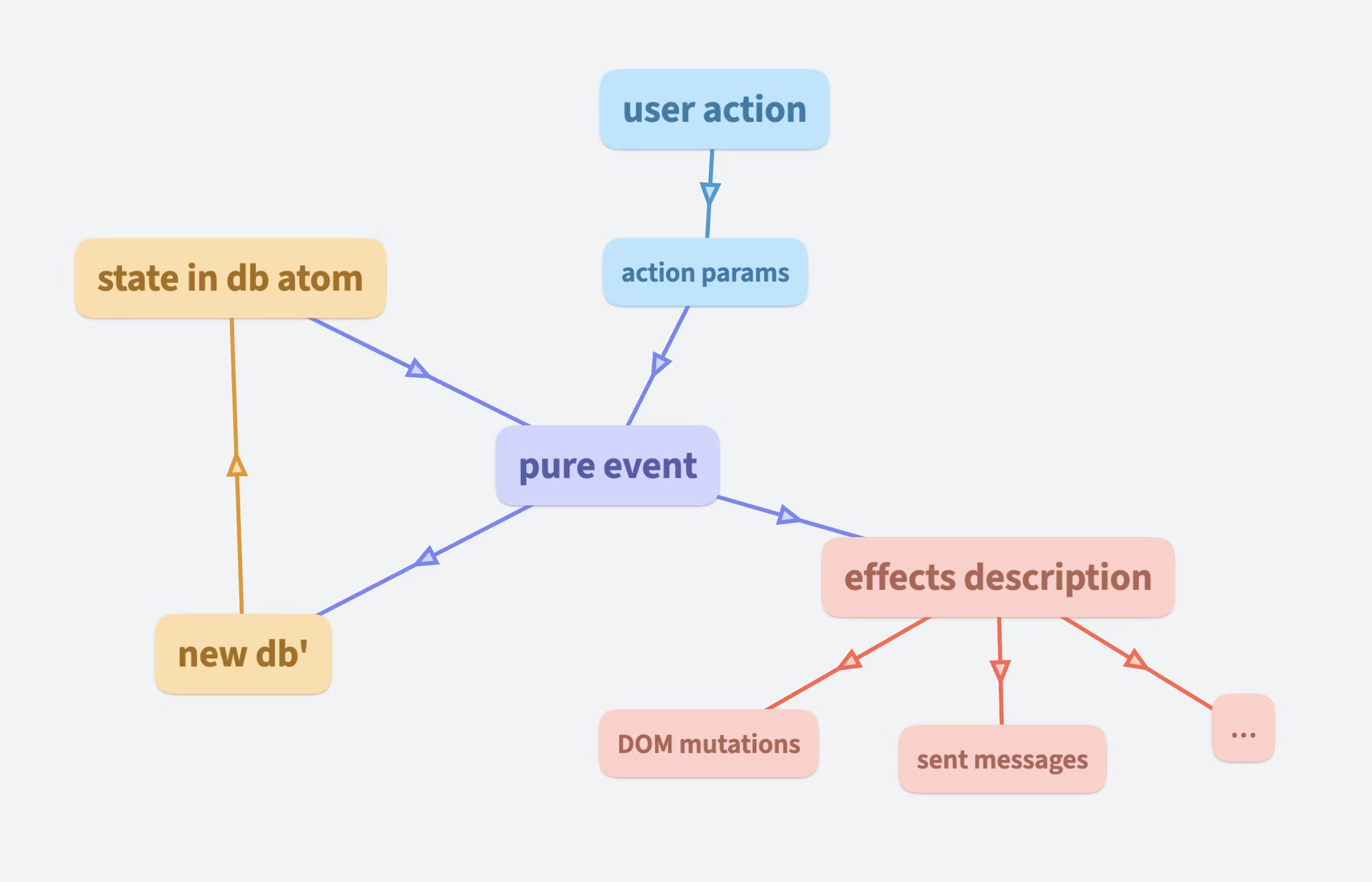
But we still like the overall Re-frame architecture, so we have built something similar inside the landing page. The entire state is stored in a single atom called db, which contains information about all videos, animations, analytics, the billing state, etc. User actions dispatch events, which are pure functions without side effects. Each event receives the full db state and action parameters. It outputs an updated db' state together with other effects. Effects are descriptions of changes: DOM mutations, messages to send to the server, etc. The event dispatcher stores db' in the atom and applies all these changes at the end.
The advantage of using pure functions for events is that it is easier to reason about the code. Each function takes some inputs and computes the corresponding outputs without changing anything. Both can be printed in the log and examined. Then the final application of effects is straightforward.
Let's take a look at the code related to the main CTA (call to action) button. When the button is hovered, the animation engine plays an animation which elevates it and also increases its shadow. When the mouse leaves, the button goes down, so the reversal animation plays.
On page load, event listeners are added to this button, each dispatching a :landing/cta-button-hovered event:
(defn- add-hover-listeners
  "Adds event-listeners for pointerenter and pointerleave for the given element."
  [id event]
  (let [element (util/element id)
        event' (vectors/wrap-vd event)]
    (add-event-listener element "pointerenter" #(events/dispatch! (conj event' 1)))
    (add-event-listener element "pointerleave" #(events/dispatch! (conj event' 0)))))

(add-hover-listeners "cta-button" :landing/cta-button-hovered)
This event has a single parameter indicating whether the button goes up or down. Animation targets for the z position and elevation are stored in vectors, so the event passes an index into these vectors.
(def cta-button-z [0 6])
(def cta-button-elevation [8 10])
It is a pure function which receives the full db state together with some other information packaged in landing-effects map. It computes updated-effects, which contains the updated DB together with a description of what should be changed: mutations in DOM, messages sent to the server, animation changes.
Here is the implementation of :landing/cta-button-hovered event.
(defmethod event :landing/cta-button-hovered [landing-effects _ [index]]
  (-> landing-effects
      (db/update-pointer assoc :pointer/cta-button-hovered (= index 1))
      (play-hover :anim/cta-button const/cta-button-z
                  const/cta-button-elevation index)))
It receives landing-effects, which is a map containing the current db and a few other values like system time of the event. It outputs modified landing-effects, containing the updated db' and other effects.
This event calls the play-hover function, which sets up the hover animation for the CTA button:
(defn play
  "Plays the given animation towards the given targets."
  [{:landing/keys [current-time] :as landing-effects} id targets]
  (let [{:anim/keys [css] :as anim-map} (db/get-anim landing-effects id)
        new-anim-map (anim-map/play anim-map {:anim/targets      targets
                                              :anim/current-time current-time})]
    (cond-> landing-effects true (db/assoc-anim id new-anim-map)
            css (replace-css id))))

(defn play-hover
  "Plays the hover animation for the given anim-id, animating z on the wrapper
  and elevation on the button. Animates towards the values at the given index."
  [landing-effects anim-id new-z-values new-elevation-values index]
  (-> landing-effects (play (key-util/add-suffix anim-id "-wrapper")
                            [[:element/z (get new-z-values index)]])
      (play anim-id [[:element/elevation (get new-elevation-values index)]])))
The function anim-map/play solves the differential equations of spring motion based on the current value and velocity. And replace-css generates a new CSS keyframe animation in css-content and adds it as an effect.
(defn replace-css
  "Replaces CSS for the anim of the given id."
  [landing-effects id]
  (let [{:anim/keys [element-id css-id]
        :as         anim-map} (db/get-anim landing-effects id)
        new-css-id (uuid/random)
        css-content (anim-css/compute-css-content anim-map new-css-id css-id)]
    (-> landing-effects (db/update-anim id assoc :anim/css-id new-css-id)
        (assoc-in [:landing/css (str "anim-" id)]
                  [css-content element-id new-css-id]))))
Finally, here is the dispatch function, which runs all events and applies their effects:
(defn dispatch!
  [event-key-or-vector]
  (let [[event-type & params :as wrapped-event] (vectors/wrap-vd event-key-or-vector)
        current-time (system-time)
        input-effects {:landing/event        wrapped-event
                       :landing/landing-db   @db/db
                       :landing/current-time current-time}
        {:landing/keys [landing-db css]
         :as           output} (event input-effects event-type params)]
    (when output
      (reset! db/db landing-db)
      (doseq [[id [content element-id-or-ids new-css-id]] css]
        (if (string? element-id-or-ids)
          (anim-css/replace-anim-class! element-id-or-ids new-css-id)
          (doseq [element-id element-id-or-ids]
            (anim-css/replace-anim-class! element-id new-css-id)))
        (css-util/replace-css! id content))
      ;; and many more effects are applied here, according to other values in output
      )))
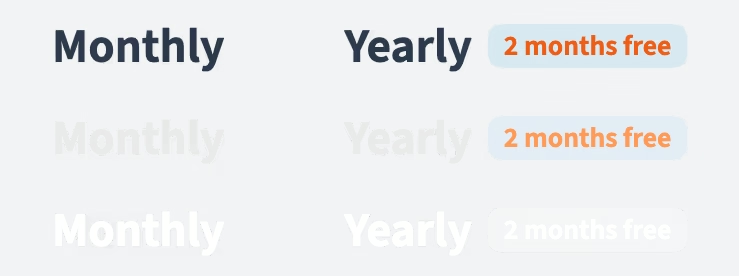
We created a custom animation for a toggle switching between monthly and yearly billing periods. The highlighted rectangle moves left/right for the chosen option. The highlighted white text is clipped in each frame by the current boundary of the highlighted rectangle, as it slides over the text.
The animation is, of course, driven by spring physics, which allows the animation to stop at any moment and naturally continue toward its new target. This is how it feels when quickly switching back and forth. Amazing!
This effect can be achieved with CSS:
.highlight {
  left: var(--left);
  width: var(--width);
}

.highlighted-text {
  color: white;
  clip-path: inset(
    0 calc(100% - var(--left) - var(--width)) 0 var(--left)
  );
}
The custom properties --left and --width are animated with keyframes generated by OrgPad's animation engine.
This worked really well in Chrome. Unfortunately, it was super laggy in Safari, since it can't render a layer with changing clip-path efficiently. We really liked this animation, so we had to find a workaround.
As we have learned from years of OrgPad development, whenever browser HTML rendering is slow, it can be made much faster using 2D canvas. Chrome did a lot of work on 2D canvas performance in recent years, so if you don't do anything something stupid like reading back canvas pixels, your JS code using 2D canvas translates as planned on the GPU where it is executed efficiently. Performance in Safari and Firefox is worse but they can still run complex rendering of OrgPad fine. So they will be super fast for such a simple animation.
The approach for fast 2D canvas rendering is as follows. At page startup, create temporary canvases with the letters:
Prepare all the rendering so it looks exactly as you want.
As the animation plays, each frame is drawn on an onscreen canvas in window.requestAnimationFrame callback. It draws from the temporary canvases because generating text in every frame is slow.
CanvasRenderingContext2D.clip().We didn't want to include an extra 10 kB of JS code which would rasterize these offscreen canvases at startup. Luckily, we can use the well-known trick from games: precompute these canvases and store them as an image. On startup, we just have to load the image as a texture and draw from it onto the onscreen canvas.
We store all three layers inside a single image. The first row is the normal canvas for light mode, the second row is the normal canvas for dark mode, and the third row is the shared highlighted canvas. This 753×276 image is also about 10 kB as an AVIF, but loading image resources is cheaper than JS code.
Using Codex, we quickly wrote a small Node.js script (in ClojureScript) using Puppeteer and Sharp to generate this texture. So we could still style it in CSS and easily update it on change. But alternatives would be to create it, say, in Figma. Sometimes the simplest solution is the best.
At the time of creating the landing page, we were using GPT 5.5. Codex is very useful for quick experiments. For example, we have discovered that the animation for the billing period toggle is lagging in Safari. We wanted to test its performance when rewritten using 2D canvas. Codex allows one to do a quick experiment, compare the performance, and decide whether rewriting it using 2D canvas makes sense. Similarly, one can do quick UI experiments, for example with the look of the theme toggle.
On the other hand, the quality of the code produced by Codex is bad. It is full of inconsistencies, bad decisions, and overall slop which accumulates in the codebase. Usually the solution was to fully rewrite and clean the code, which might even take longer than writing it clean from scratch. And this is not solved by newer models, so while they are powerful at solving difficult math problems, the quality of their output is horrible.
It also loves to completely ignore the overall architecture of the code and invent some quick hacks on the side. That's an okay approach if one just wants to test out something quickly. But if one continues like this, one ends with a huge mess. And when you tell Codex to rewrite it using the main architecture, for example our pure event handling, it will invent tricks to embed its hacks inside it without actually rewriting anything.
In the end, we did many more experiments thanks to Codex and the landing page is better, but it was not always a productivity benefit. That's why actually evaluating benefits of using AI agents is really hard, even in a small startup.
The core idea of the new landing page was to introduce people to OrgPad without throwing them into it. So they can first discover OrgPad, we can show how it solves their problems, and only afterward experience using it. Since OrgPad looks amazing in motion, we wanted to show videos of OrgPad immediately. Afterward, there is a new try-out page where one can experience editing OrgPad without having to create an account. We would like to thank Philippe Levy (dropknox at Discord) for a lot of suggestions on how to present OrgPad to people.
As for the look, we started with some Codex experiments, but the designs were bad. We discovered a template we liked, so we started playing with it and created a different look using colors from the OrgPad logo. After many iterations, we reached the current look of the landing page that we like. The videos dominate the page, as they should be. And the animations are fun, as in the rest of OrgPad. We sometimes just play with them, similarly to old iOS animations when they used to be good.
Squircles are very important for OrgPad. They embody OrgPad's engineering perfection, as shapes whose curvature smoothly changes as it goes between straight and rounded segments. We have written a blog post about squircles where we analyze the shape and derive a pixel-perfect approximation with just three cubic Bézier curves per corner, used in OrgPad. It is a tiny detail but squircle corners make the look of cells so much better. And we care about these details.
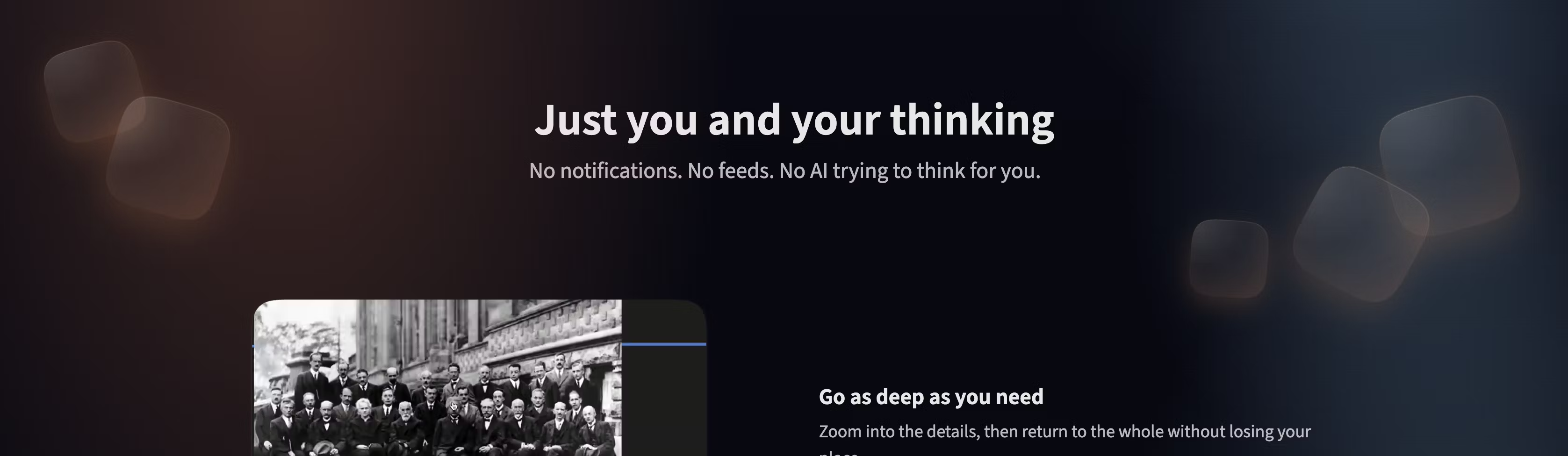
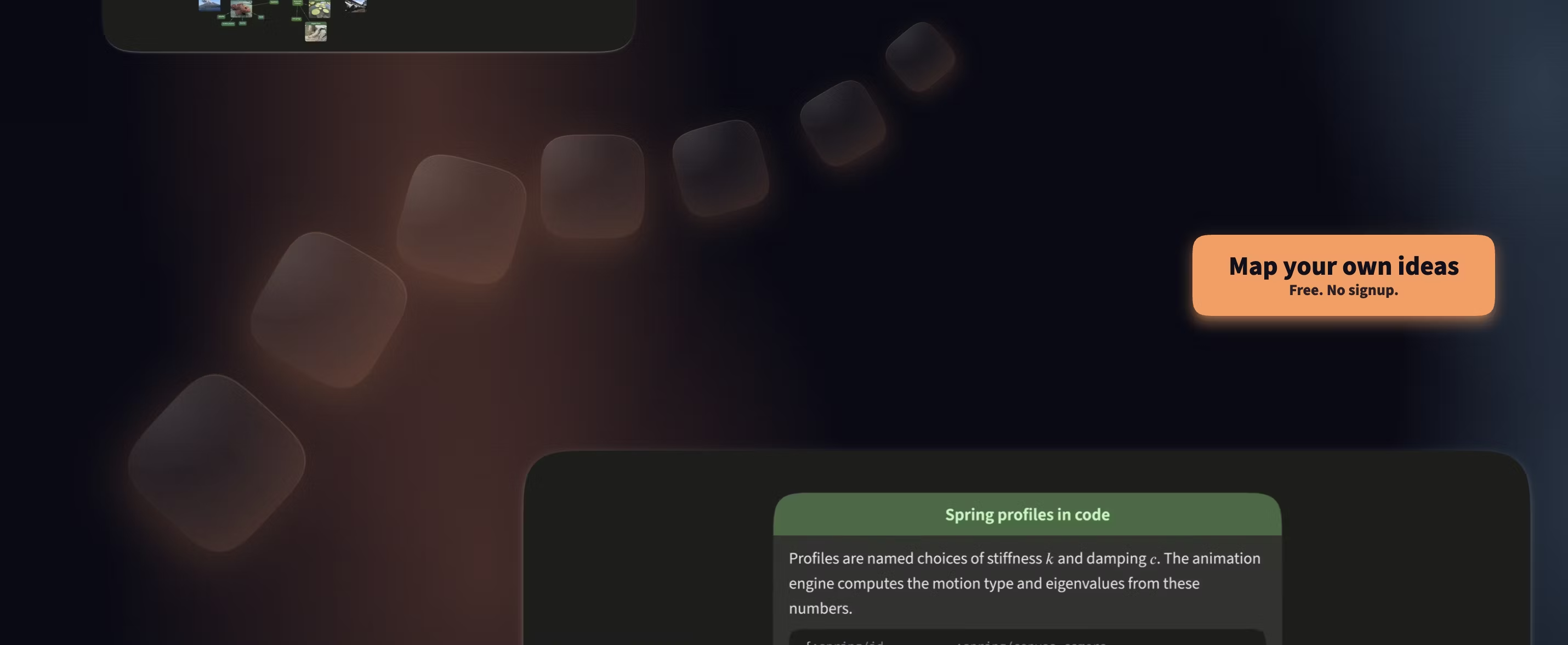
For the landing page, we wanted to use them as a background texture, placed on top of the background gradients. After some tweaks, we liked the look:
The first experiment, created by Codex, was super slow. It was using CSS backdrop-filter which is a well-known performance killer. The layer is no longer isolated, influencing the background layer. That makes rendering many tiny background squircles very slow. After removing this filter, performance was fine in Chrome.
Each squircle background is a combination of two radial gradients, creating an illusion of light shining from above. As the squircle is rotated by some angle  , we rotate the background gradient by
  . This creates an illusion that the light shines in the same direction. Unfortunately, we have discovered that rendering many small radial gradients in Safari is very slow. There is no reason for that since these are just tiny fixed textures. They can be rasterized and stored on GPU. But Safari sucks that much that it was a problem, even on a fast MacBook Pro.
The workaround is super simple. Just rasterize the background into a texture and use the rotated texture as background for each squircle. A 128×128 texture is just 630 bytes as an AVIF and solved the Safari performance issue immediately.
In CSS, the texture is used on a pseudo-element, and its rotation is specified by a custom CSS property --sq-rot:
.sq {
  position: absolute;
  overflow: hidden;
  width: clamp(75px, 10vw, 192px);
  height: clamp(75px, 10vw, 192px);
  border: 1px solid rgb(from var(--color-primary) r g b / 0.1);
  box-shadow:
    inset 0 1px 0 rgb(from var(--color-panel-bg) r g b / 0.58),
    inset 0 -24px 48px rgb(from var(--color-primary) r g b / 0.08),
    0 18px 56px rgb(from var(--color-primary) r g b / 0.12);
  pointer-events: none;
  border-radius: calc(25% * var(--brm));
}

.sq::before {
  position: absolute;
  top: 50%;
  left: 50%;
  width: 142%;
  height: 142%;
  content: "";
  background-image: url("/static/landing/img/sq.avif");
  background-position: center;
  background-size: cover;
  transform: translate(-50%, -50%) rotate(var(--sq-rot));
}Originally, all videos were autoplaying and started when first revealed. But this was very confusing. OrgPad's canvas tends to move a lot on scroll or zoom, so multiple videos playing at the same time distract from one another. So the best solution is to play only the current video in the middle of the screen.
The reveal line is at the lower third of the screen. On each scroll event, the nearest video to this line is computed. When it is not playing, the currently playing video stops and this video starts playing. To make this visually clear, the video is also slightly elevated.
This is another place where slow Safari performance forced us to make changes. Applying a z transform on a playing video is incredibly laggy because it changes how WebKit composites the video. In Chrome, it runs perfectly fine. Why shouldn't it? The solution would be to switch to 2D canvas rendering where we can render videos efficiently. We render videos like this in OrgPad (together with a custom video player) and they work perfectly fine while zooming inside a map. For simplicity, we have decided to just skip this animation in Safari.
Another big "fuck you" from browsers is video posters. The idea is simple: it is an image which is displayed when no video data is available. This was important for us since the top video should be rendered as soon as possible, even on a slow connection. For each video, we can easily capture the first frame as an AVIF image using ffmpeg. So we can use this image as the poster and then it will be replaced by the video when it starts playing.
Unfortunately, the browser standard does not guarantee this behavior. The poster is displayed, but then it is removed a few frames before the video begins playing. So the visitor will see a few gray/black frames in between, killing the illusion of a fast video load. We have no idea why this is implemented in this stupid way because browser's rasterizer should precisely know when the first video frame is available and it should hide the poster only at that moment.
So we have to build our own posters. It sounds easy, just place an image on top of the video which loads first. Then after the video starts playing, we can remove the image from DOM and the video will be visible. A video object has requestVideoFrameCallback method which calls your function when a video frame is ready. So we can just hide the poster there.
Did you really think browsers will make your life this simple? Unfortunately no. That a browser will tell you that the next video frame is ready does not really mean that it is ready and rasterized on GPU. So if you try to render it into 2D canvas, you might get nothing. And if you hide the poster, it might not be ready until one or more frames later, so the gap will still be visible. The only workaround we have found is to add another 50 ms timeout and hope that the frame has actually been rendered.
All these small problems and inconsistencies with browsers and their APIs are precisely the reason why building a great application is so damn difficult inside browsers. We have sometimes spent a lot of time fighting with browsers to get something magically working in OrgPad. It might be actually much easier to develop OrgPad as a native app where one has a higher level of control of the computer that runs it; hopefully we can do that in the future.