12.08.2026 – Pavel Klavík, Kamila Klavíková
OrgPad now has an API, so other programs can read your data and make changes. It makes working with AI tools such as Claude and Codex straightforward, while API keys keep every request under your control. It also opens up new ways to work with your OrgPages beyond OrgPad itself.
#development, #automation, #integration, #API, #update, #OrgPad, #AI
OrgPad got a new superpower. The API lets other programs to read and edit your data. This makes integration with AI tools, such as Claude or Codex (ChatGPT), easy. To use API, you need a professional, school or enterprise subscription. You'll find detailed API documentation on GitHub.
Every API request must be authorized with a valid API key in the Authorization HTTP header. You can create the API keys in Settings.
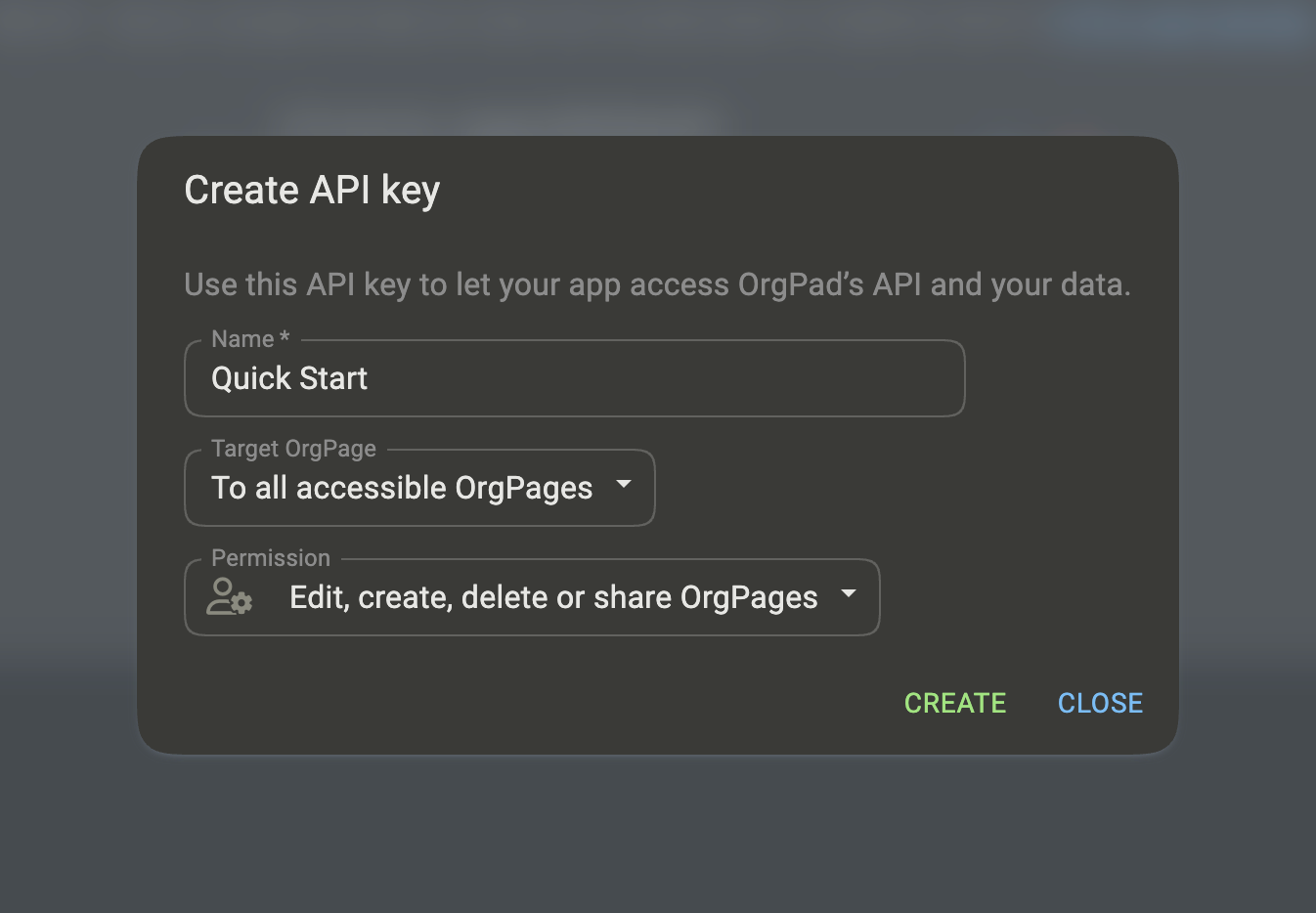
Let's show a quick example that creates a new OrgPage with two connected cells using Bash and curl. We start by creating a new API key with admin permission:
We copy the API key and store it as an environment variable.
export ORGPAD_API_KEY="orgpad_..."
Now, we can test the API key by retrieving its information. Since the output defaults to JSON, we use jq to format it:
curl -sS "https://orgpad.info/api/v1/info" \
  -H "Authorization: Bearer $ORGPAD_API_KEY" \
  -H "Accept: application/json" | jq
This outputs the following JSON:
{
  "id": "tYix-aSPk_Y",
  "title": "Quick Start",
  "userId": "50475d55-4f6d-401f-9b08-33927a04897f",
  "permission": "permission/admin",
  "creationTime": "2026-08-06T13:02:06.864267119Z"
}
Next, we can create a new OrgPage and retrieve its ID:
ORGPAGE_ID=$(
  curl -X POST "https://orgpad.info/api/v1/o" \
    -H "Authorization: Bearer $ORGPAD_API_KEY" \
    -H "Content-Type: application/json" \
    --data '{
      "title": "API quick example",
      "color": "color/red"
    }' \
  | jq -r '.id'
)
echo "$ORGPAGE_ID"
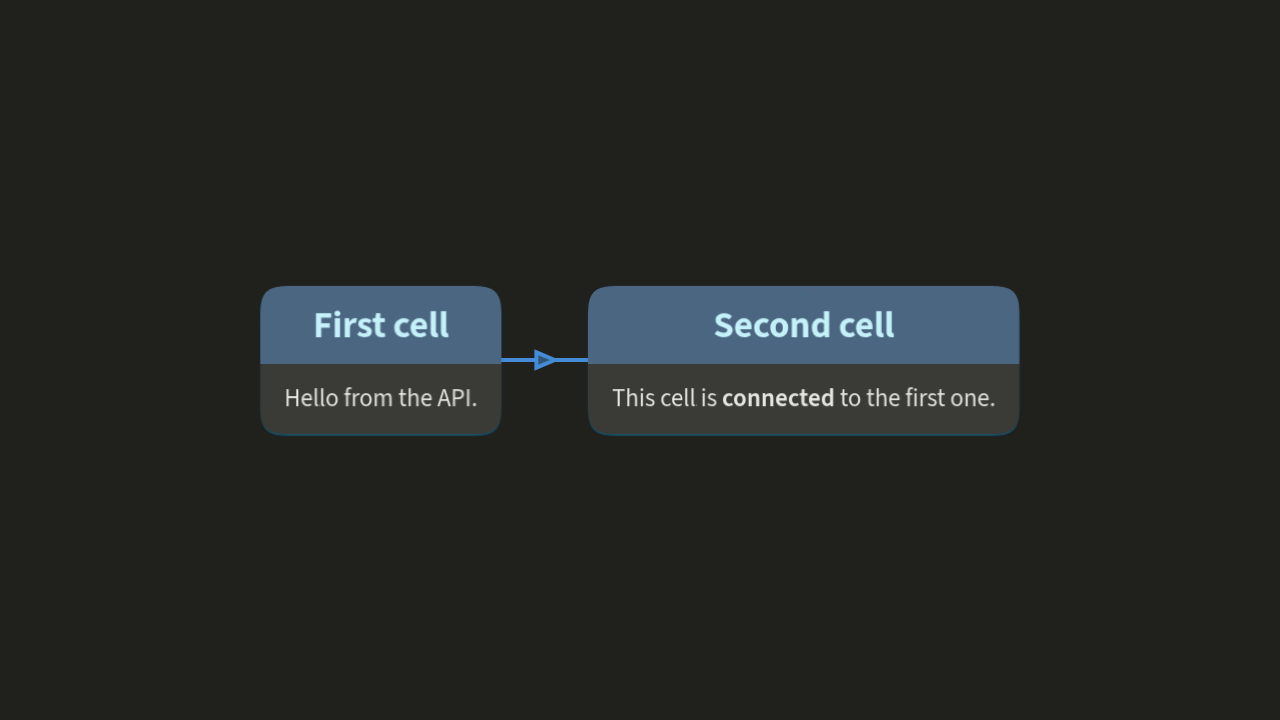
To apply changes in this OrgPage, we just need to send a vector of operations to the API. Here we create two connected cells.
curl -X POST "https://orgpad.info/api/v1/o/$ORGPAGE_ID/ops" \
  -H "Authorization: Bearer $ORGPAD_API_KEY" \
  -H "Content-Type: application/json" \
  --data '[
    ["unit/create", {
       "textId": "first-cell",
       "pos": [0, 0],
       "title": "First cell",
       "content": "<p>Hello from the API.</p>"
    }],
    ["unit/create", {
      "textId": "second-cell",
      "pos": [360, 0],
      "title": "Second cell",
      "content": "<p>This cell is <b>connected</b> to the first one.</p>"
    }],
    ["link/create", {
      "endpointIds": ["first-cell", "second-cell"]
    }]
  ]'
We can even use the API to obtain a screenshot of the resulting OrgPage:
curl -sS -X POST "https://orgpad.info/api/v1/o/$ORGPAGE_ID/screenshot" \
  -H "Authorization: Bearer $ORGPAD_API_KEY" \
  -H "Accept: image/png" \
  -H "Content-Type: application/json" \
  --data '{
    "theme": "dark",
    "open": "all"
  }' \
  -o screenshot.png
It looks like this:
With the basic workflow in place, let’s look more closely at the API key behind every request: what it contains, what it can access, and how to limit its permissions.
An API key is a string which looks like this:
orgpad_IYwC5kruKvQ_iyGEz107I3nsPd620yi9sKel3AC65We9
The prefix orgpad_ identifies this as OrgPad API key. The part IYwC5kruKvQ is a key identifier. The last part, iyGEz107I3nsPd620yi9sKel3AC65We9, is a key secret, acting as a password.
Protect the full API key because anyone obtaining it will be able to access your data. If you share it somewhere by accident, delete it immediately. As a security precausion, OrgPad does not store the secret part in the database, just its SHA256 hash. The full API key is only displayed once, immediately after it is created, so copy it somewhere safe.
Each API key grants access to your data in OrgPad and may also allow changes. There are three permission levels:
Further, a key can be scoped to a single OrgPage. Then it allows access only to this OrgPage (and other publicly accessible resources). It cannot retrieve list of your OrgPages or access other OrgPages. For more details, see API keys in documentation.
Once you have the right permissions in place, the next question is how to communicate with the API. OrgPad supports several data formats depending on what you’re building and which language you use.
All API endpoints are under this base URL:
https://orgpad.info/api/v1
The supported endpoints are listed in the documentation.
The default API format is JSON, both for request messages and outputs. For example, we can retrieve JSON metadata for the previously created OrgPage like this:
curl -sS "https://orgpad.info/api/v1/o/$ORGPAGE_ID/meta" \
  -H "Authorization: Bearer $ORGPAD_API_KEY" \
  -H "Accept: application/json" | jq
{
  "lastEditTime": "2026-08-06T13:22:10.713394621Z",
  "id": "f5d578db-53af-4053-b58a-73a91dece014",
  "lastLoadTime": "2026-08-06T14:02:17.053593977Z",
  "creationTime": "2026-08-06T13:14:18.738577619Z",
  "owner": "50475d55-4f6d-401f-9b08-33927a04897f",
  "color": "color/red",
  "title": "API quick example"
}
All IDs are UUIDv4, usually written in hexadecimal format.
A cell's rich content is represented as HTML in JSON. For example:
curl -sS "https://orgpad.info/api/v1/o/$ORGPAGE_ID/unit/second-cell" \
  -H "Authorization: Bearer $ORGPAD_API_KEY" \
  -H "Accept: application/json" | jq
{
  "links": [
    {
      "endpointIds": [
        "1de1e729-22f8-4695-abd0-6c3186ae1499",
        "e740184b-c990-46d4-8725-cdb0fac0d1d5"
      ],
      "id": "ee7e7917-32f5-4151-ad99-c52500518083",
      "props": {
        "color": "color/blue",
        "arrowhead": "props/single"
      }
    }
  ],
  "units": [
    {
      "content": "<p>This cell is <strong>connected</strong> to the first one.</p>",
      "id": "2fb58985-104a-433b-8115-60d4e088fddc",
      "type": "unit/page",
      "parentId": "e740184b-c990-46d4-8725-cdb0fac0d1d5"
    },
    {
      "id": "e740184b-c990-46d4-8725-cdb0fac0d1d5",
      "pos": [
        360,
        0
      ],
      "title": "Second cell",
      "textId": "second-cell",
      "childUnitIds": [
        "2fb58985-104a-433b-8115-60d4e088fddc"
      ],
      "type": "unit/book",
      "props": {
        "color": "color/blue",
        "titleSize": "props/h2"
      }
    }
  ]
}OrgPad itself is written in Clojure, where people usually work with EDN, both for storing code and data, instead of JSON. The OrgPad API supports EDN and Transit+JSON formats, both for inputs and outputs.
The equivalent EDN data look like this:
curl -sS "https://orgpad.info/api/v1/o/$ORGPAGE_ID/meta" \
  -H "Authorization: Bearer $ORGPAD_API_KEY" \
  -H "Accept: application/edn"
{:orgpage/last-edit-time "2026-08-06T13:22:10.713394621Z"
 :orgpage/id             #uuid "f5d578db-53af-4053-b58a-73a91dece014"
 :orgpage/last-load-time "2026-08-06T14:02:17.053593977Z"
 :orgpage/creation-time  "2026-08-06T13:14:18.738577619Z"
 :orgpage/owner          #uuid "50475d55-4f6d-401f-9b08-33927a04897f"
 :orgpage/color          :color/red
 :orgpage/title          "API quick example"}
In EDN, content is represented in Hiccup format using Clojure data structures:
curl -sS "https://orgpad.info/api/v1/o/$ORGPAGE_ID/unit/second-cell" \
  -H "Authorization: Bearer $ORGPAD_API_KEY" \
  -H "Accept: application/edn"
{:orgpage/links [{:link/endpoint-ids [#uuid"1de1e729-22f8-4695-abd0-6c3186ae1499"
                                      #uuid"e740184b-c990-46d4-8725-cdb0fac0d1d5"]
                  :link/id           #uuid"ee7e7917-32f5-4151-ad99-c52500518083"
                  :link/props        {:props/color     :color/blue
                                      :props/arrowhead :props/single}}]
 :orgpage/units [{:unit/content   [[:p "This cell is " [:strong "connected"]
                                       " to the first one."]]
                  :unit/id        #uuid"2fb58985-104a-433b-8115-60d4e088fddc"
                  :unit/type      :unit/page
                  :unit/parent-id #uuid"e740184b-c990-46d4-8725-cdb0fac0d1d5"}
                 {:unit/id             #uuid"e740184b-c990-46d4-8725-cdb0fac0d1d5"
                  :unit/pos            [360 0]
                  :unit/title          "Second cell"
                  :unit/text-id        "second-cell"
                  :unit/child-unit-ids [#uuid"2fb58985-104a-433b-8115-60d4e088fddc"]
                  :unit/type           :unit/book
                  :unit/props          {:props/color      :color/blue
:props/title-size :props/h2}}]}Even if you are not a programmer, you can use API with your AI agents. We use the API regularly with Codex, and people on our Discord have also had good results with Claude Code. Here, we want to describe our experience: what worked well and what did not.
If you want to give an AI agent access to your API key, pasting it into the chat is not the best solution. For a quick experiment, you can create a temporary edit key scoped to an empty OrgPage. Another option is to store the API key in a file or other secure storage on your computer, so the agent can use the API key without ever sending it anywhere.
People were asking for local backups of OrgPad data. OrgPad is a tool we build for you while you stay in full control of your data. So it was already possible to manually export your data in various formats.
The API allows you to automate this process. We have quickly built a Python script which, given your read API key, downloads a local backup of all your OrgPages. When you run it again, it just downloads changes, so syncing your data is very fast after the first download. For example, you can easily schedule a task which will automatically sync your data every day.
The script also has many options. It can skip attachments and just download small OrgPage data containing information about cells, links, etc. It can also download only some of your OrgPages, for example those with a certain tag or word in the title. And it can automatically strip access tokens, so you don't share them with your AI agents. Consult its documentation for the full list.
Disclaimer: This script was fully vibecoded with Codex in a few hours. We don't write much Python, but we have checked the code and it seems ok. More importantly, we intentionally wanted to test whether Codex will be able to work with OrgPad's API and its documentation. And this test was very successful.
The API opens up many ways to work with your OrgPad data, from practical tasks such as backing up OrgPages to custom analysis and visualization. We have been using it ourselves to see what becomes possible when other tools can read, understand, and modify OrgPages. The following examples are things we have already tried.
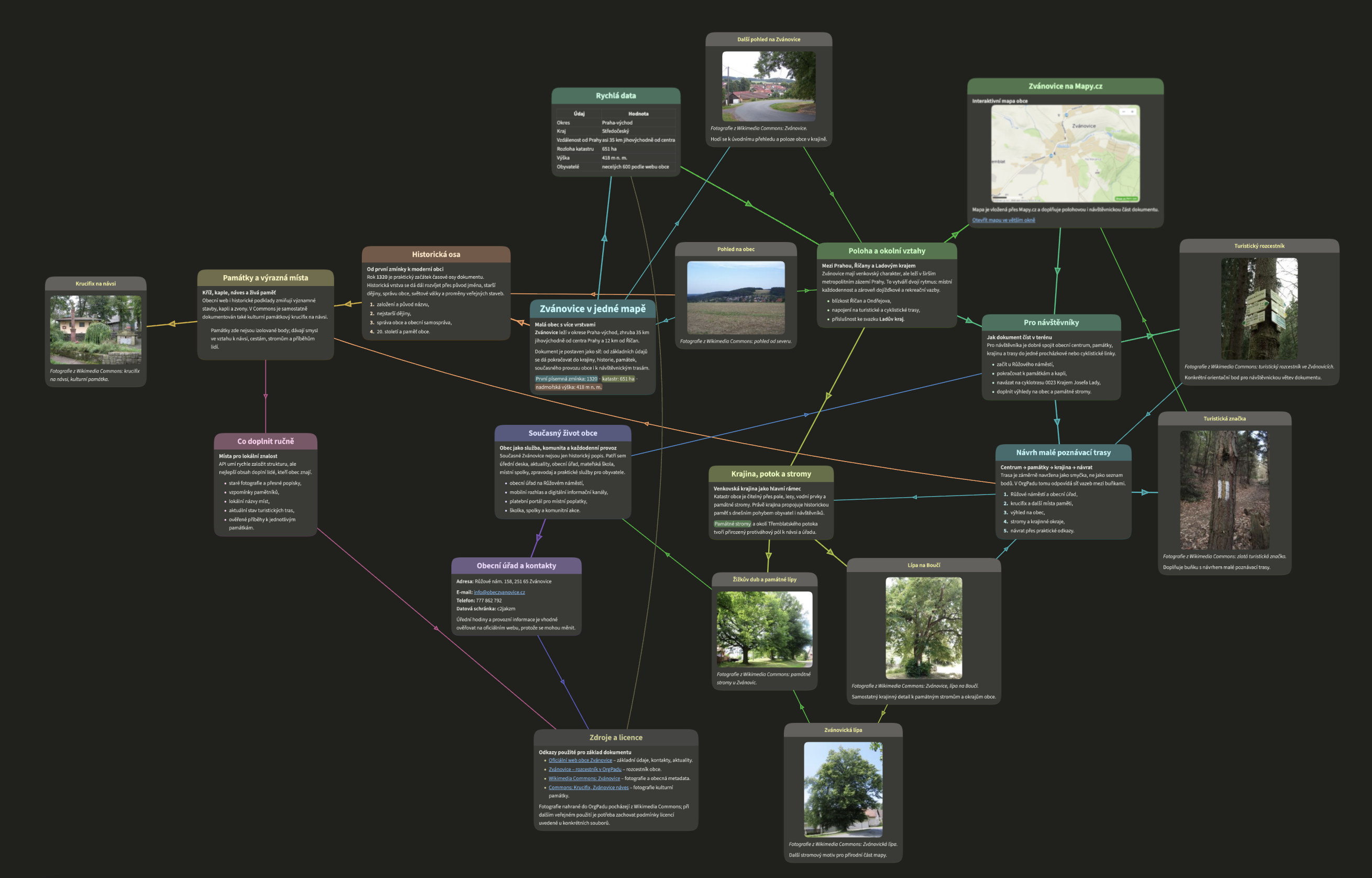
I wanted to showcase the OrgPad API to my mother-in-law, who did not seem interested in it at first because she is not a programmer. So I opened Codex and asked it to quickly create a new OrgPage about her hometown, Zvánovice. The result shown here (in Czech) is after a few prompts where I asked Codex to add more photos found online and an interactive map. Suddenly, she wanted me to install Codex on her computer so she could play with the OrgPad API on her own.
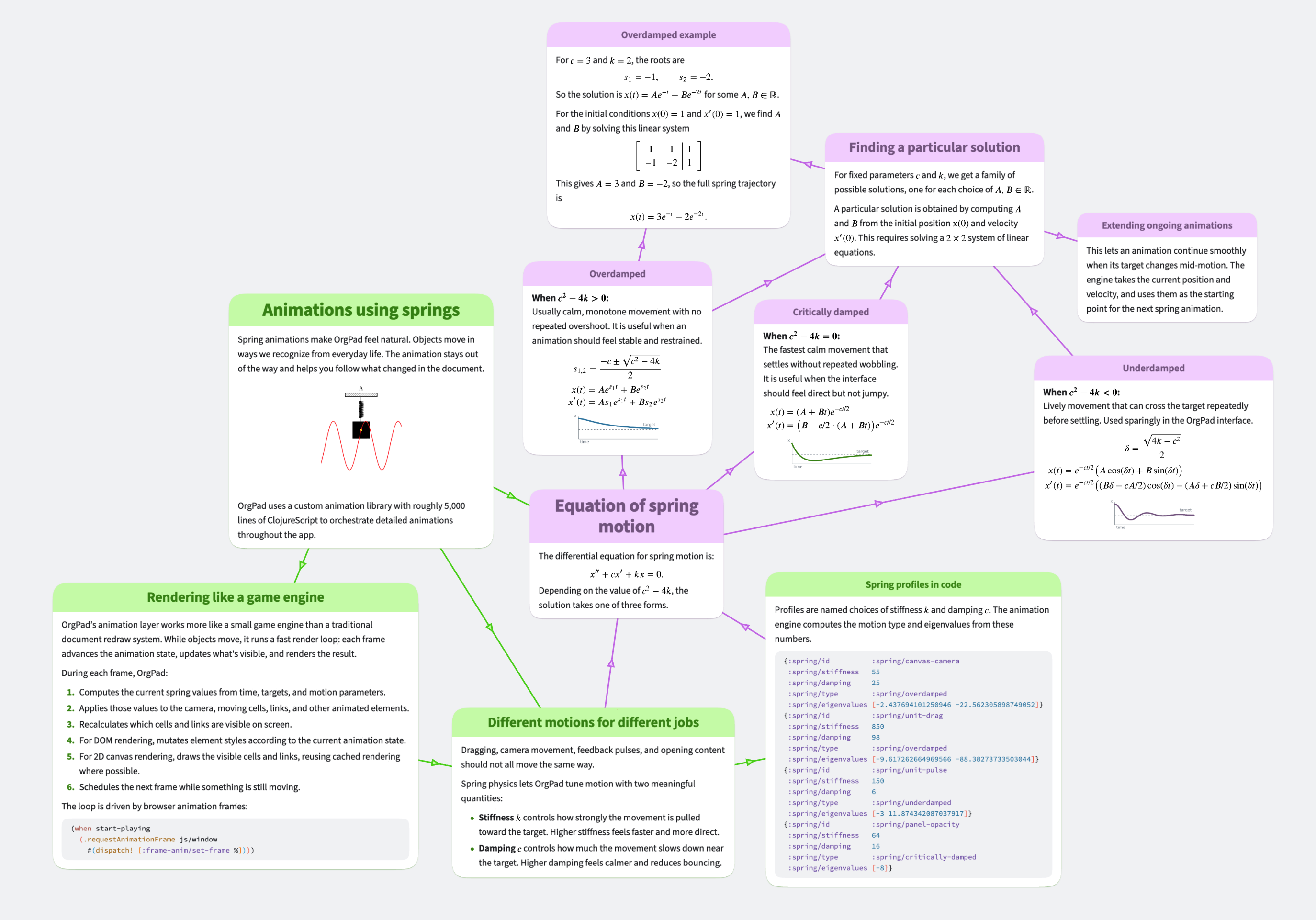
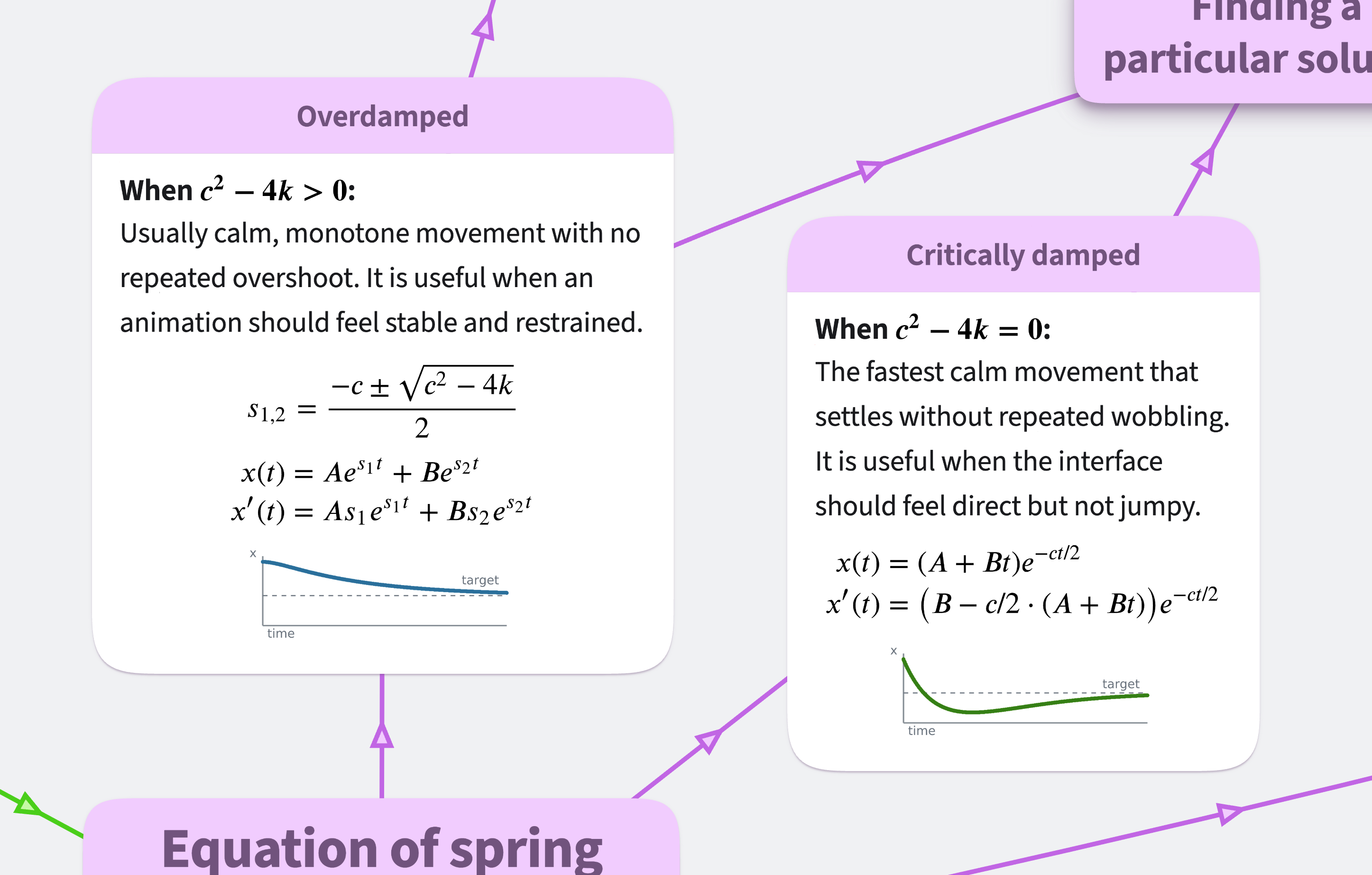
We also used Codex while preparing example documents for our new landing page. We tried to generate an overview of spring physics animations directly from the OrgPad codebase, but the result was a typical AI slop. So we have reworked it manually, while Codex still helped along the way by cleaning the text, writing math formulas, and even generating small graphs for each of three spring types.
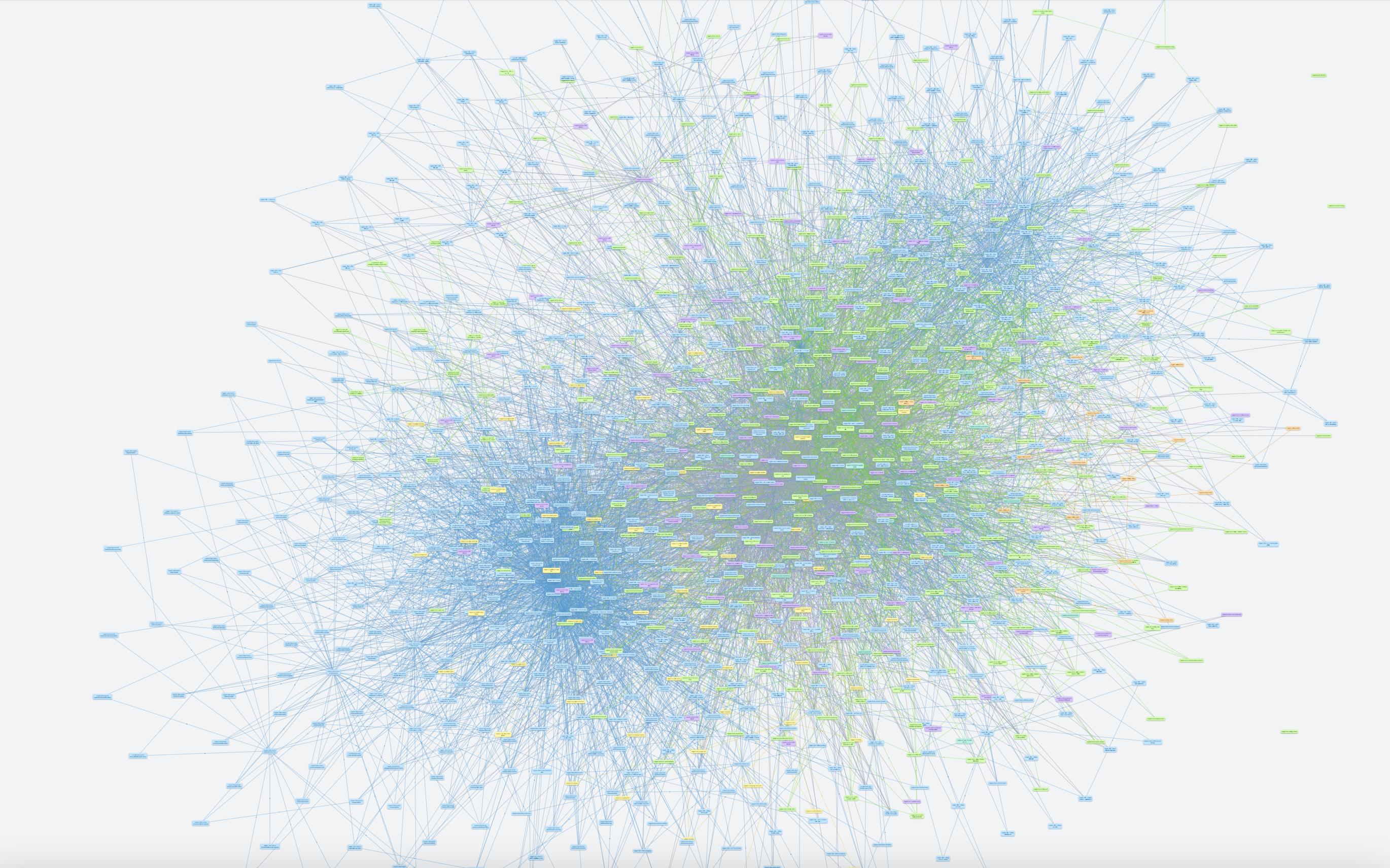
As a fun experiment, we tried to create a graph of all namespaces in the OrgPad codebase. In the past, we used lein-ns-dep-graph when the codebase was small. Nowadays, the OrgPad codebase is huge (about 175k lines of Clojure), and we prefer to split the code into smaller files (average 145 lines, median 71). There are currently about 1.2k namespaces and about 9k internal references between them. The resulting graph in OrgPad generated by Codex using the API looked interesting but was not useful.
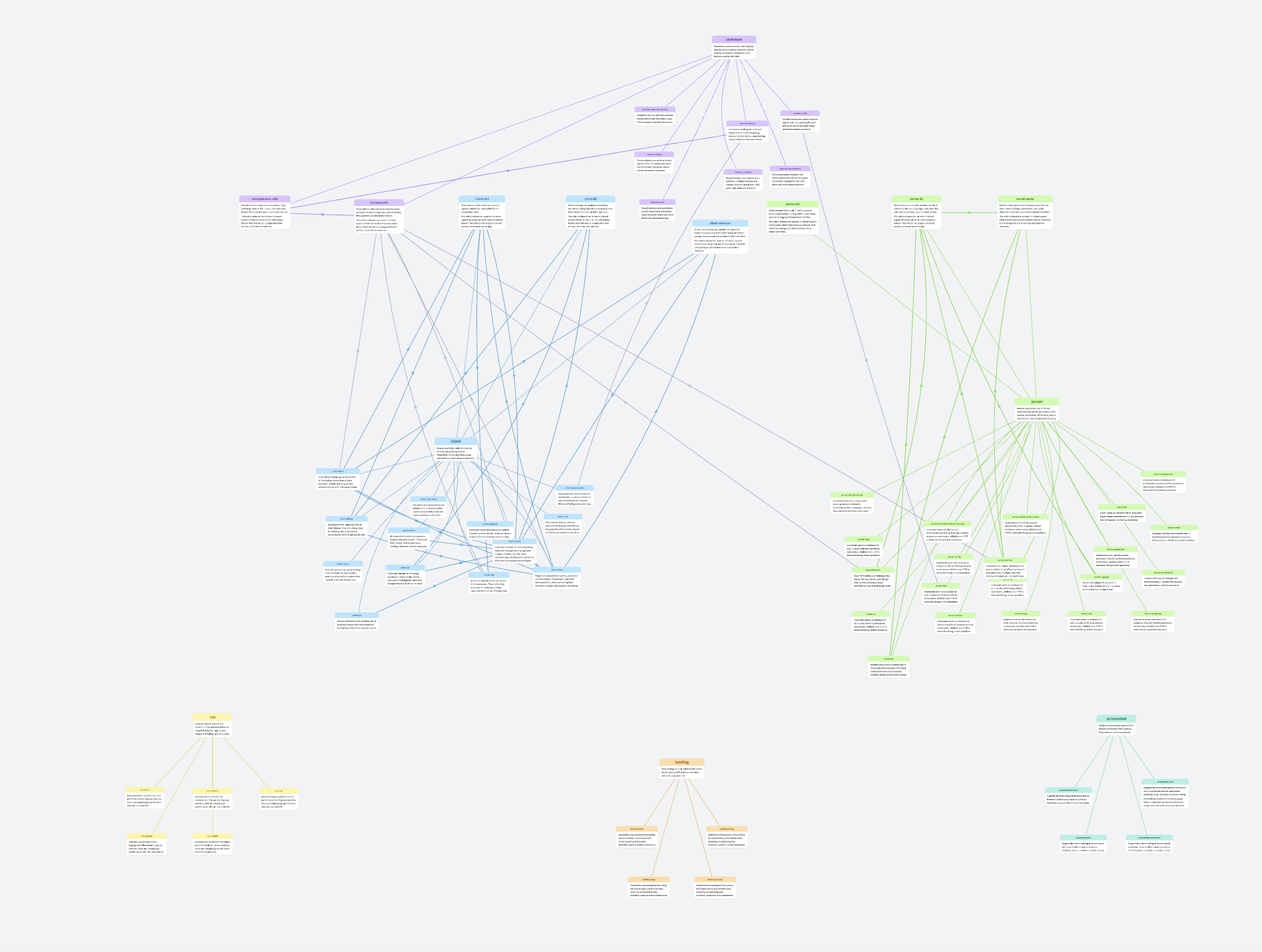
Therefore, we told Codex to simplify this graph by grouping namespaces into packages and including only the most important ones. After a few prompts, we got this more useful overview.
It still contains quite a lot of connections, some of which give very little information. For example, all client namespaces are blue, so there is no need to have all of them linked to a separate "client" root node. It is much better to replace this relation with a box (consisting of 5 cells linked in a cycle) with the title "client". This significantly reduced the number of connections and made the structure easier to understand. After some manual cleanup, we got this:
For better documentation, one could manually clean it up further, add some more namespaces or connections, and write more informative descriptions. Since this was just a Codex experiment, we did not take it any further.
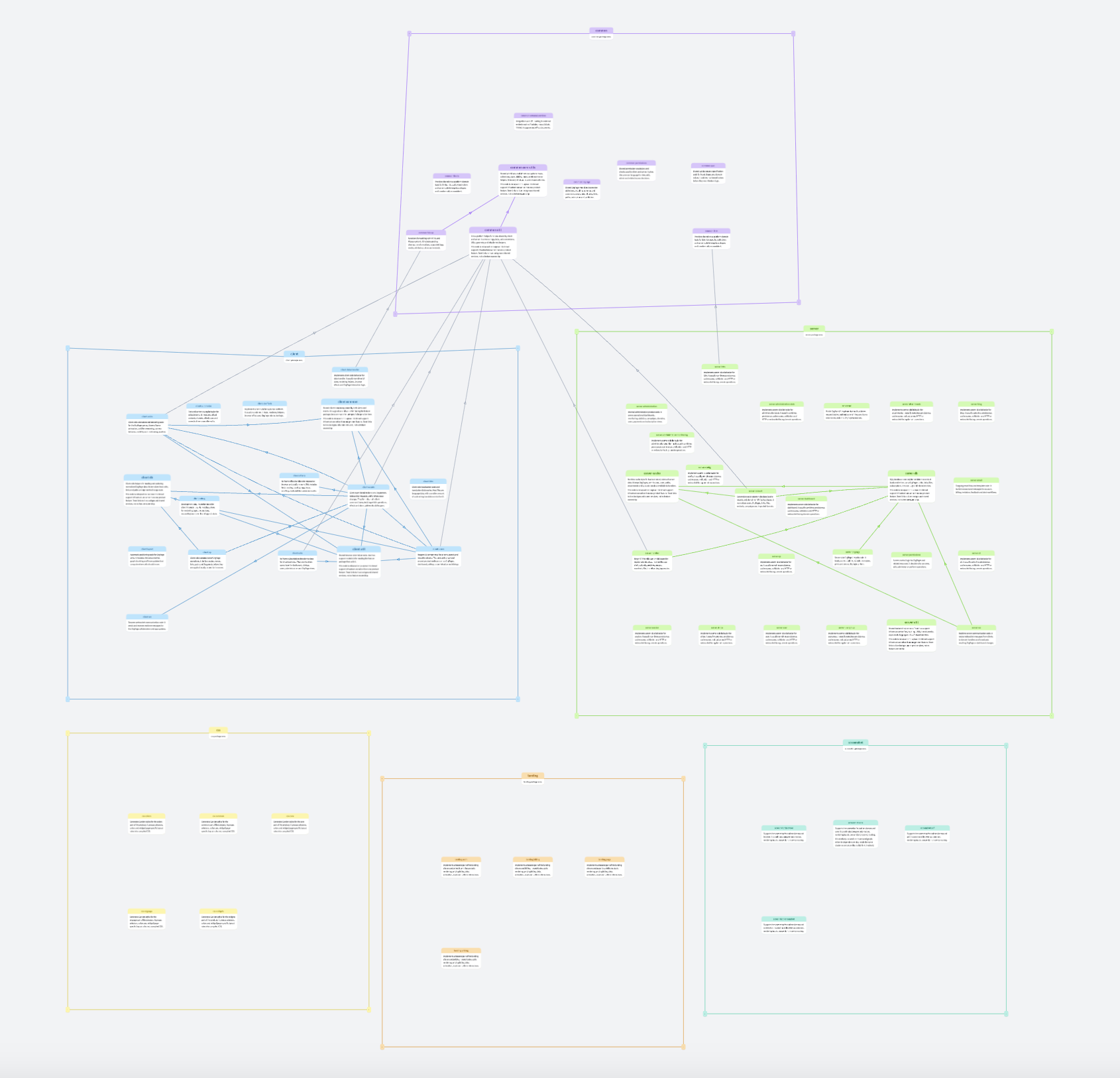
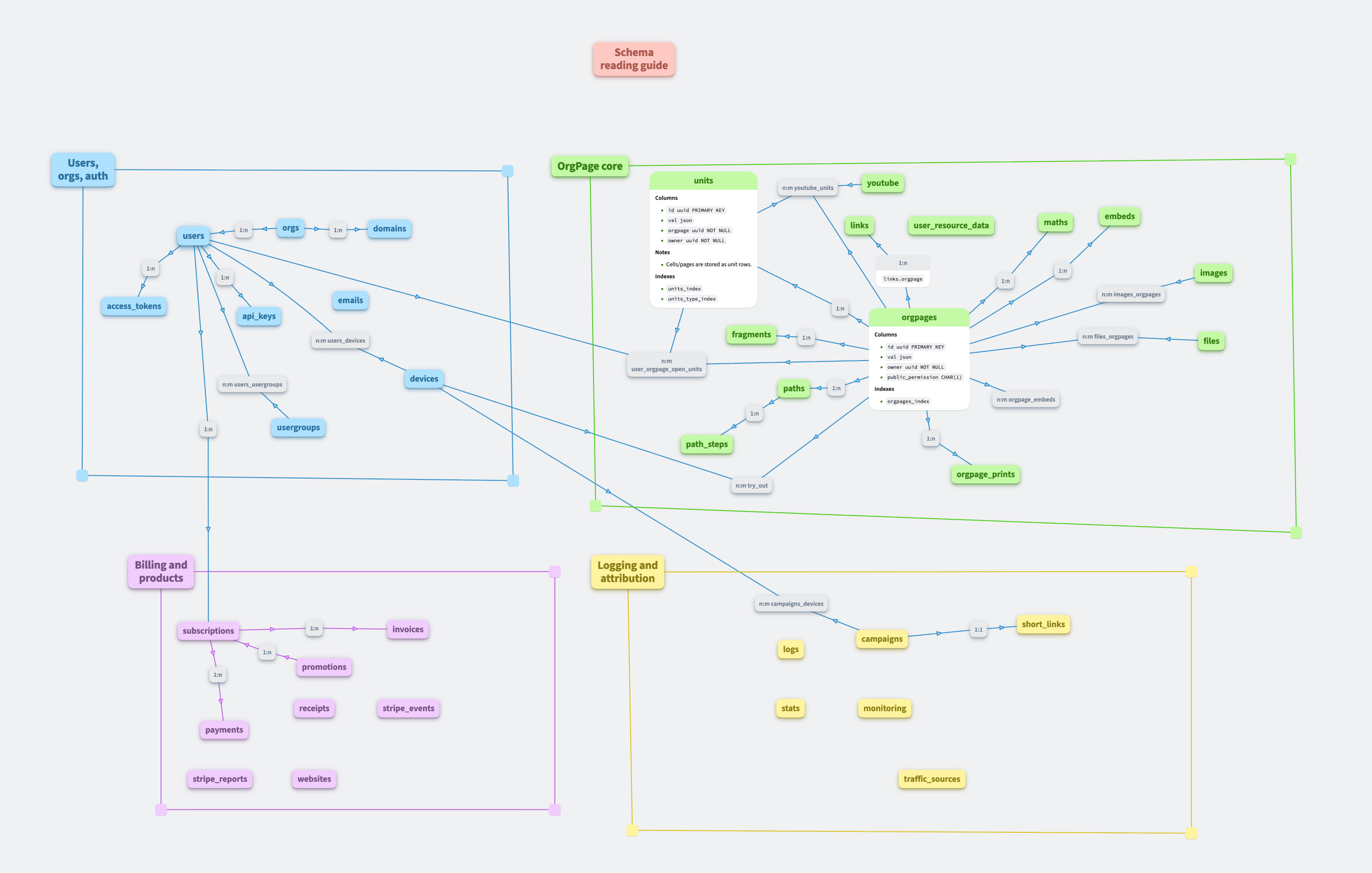
OrgPad is great for documenting DB schemas. We let Codex generate one for OrgPad's PostgreSQL database. This is the result after a few prompts asking it to group different types of tables into rectangular clusters. Relations between tables are shown with gray nodes. This gives a great quick overview of the schema and can be easily kept up to date with Codex.
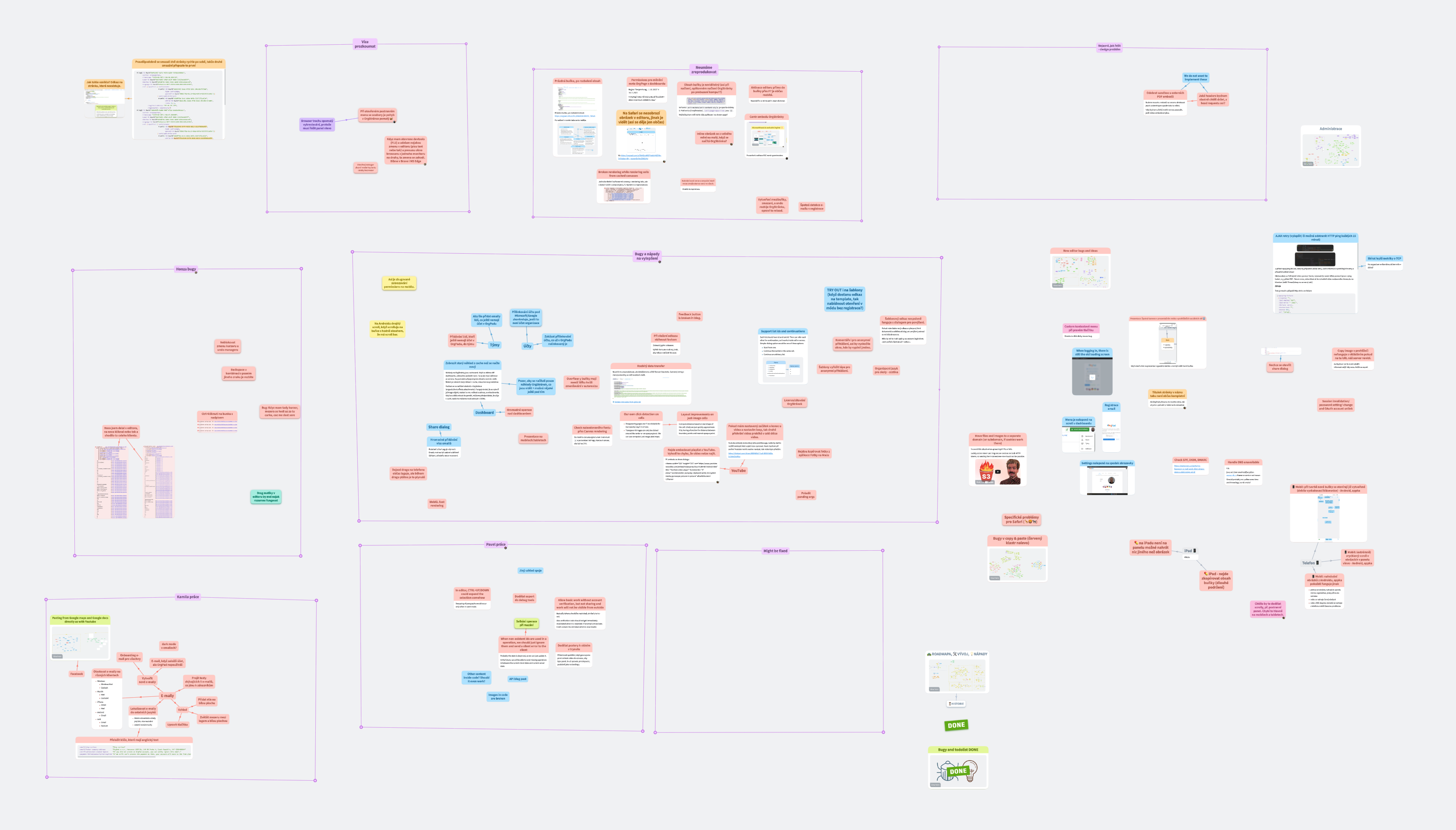
AI agents work well with existing data in OrgPad. We track OrgPad bugs and improvement ideas directly inside OrgPad. We can organize what we currently work on, add additional information about a bug, and much more.
We recently analyzed simple/stale bugs and ideas in this and related OrgPages using Codex. This resulted in many small improvements of OrgPad that you might have seen reported in our Discord server. AI agents are a great tool for this type of work.
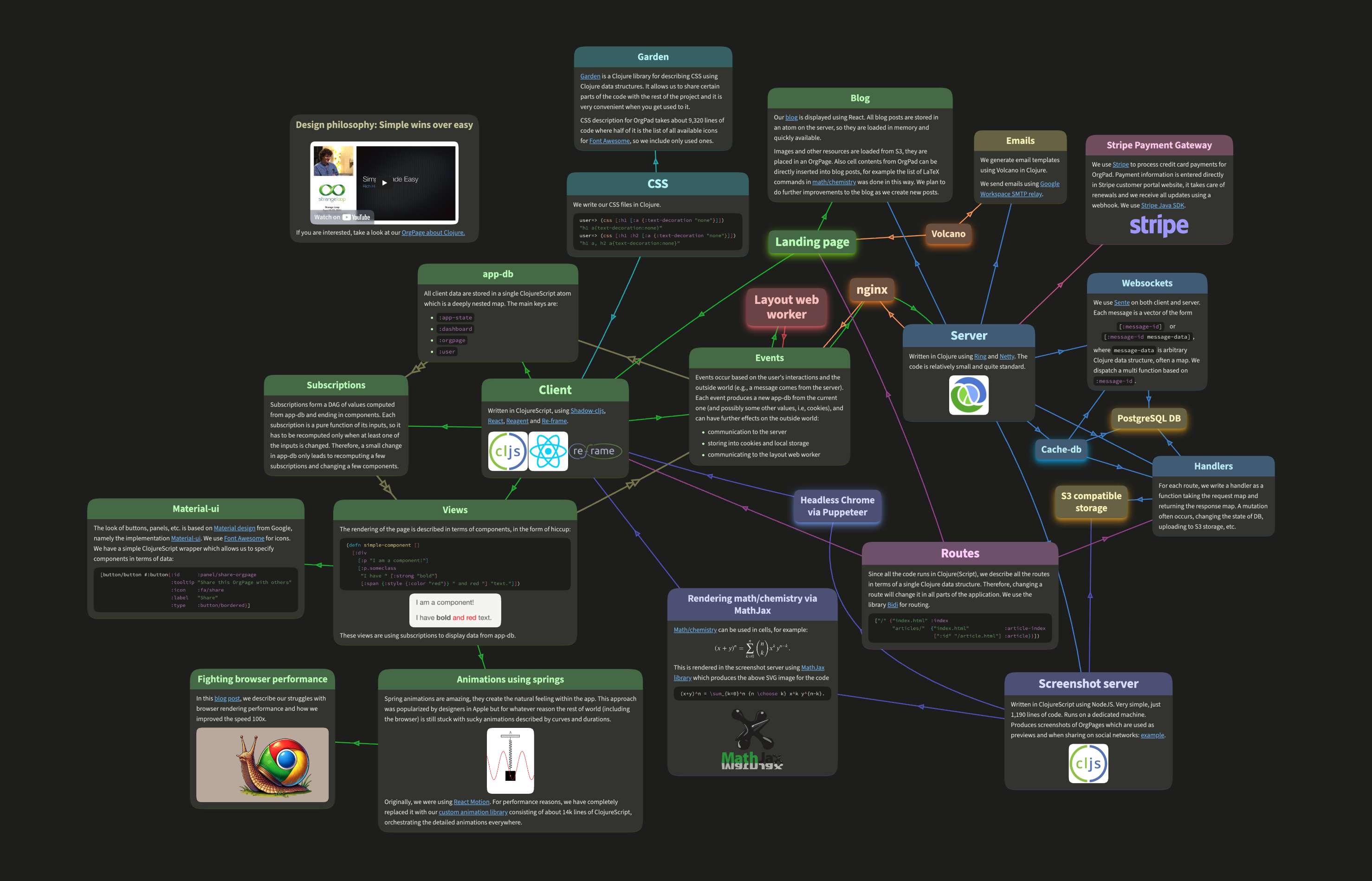
While writing this blog, we used Codex to find incorrect/stale information in OrgPad's architecture overview.
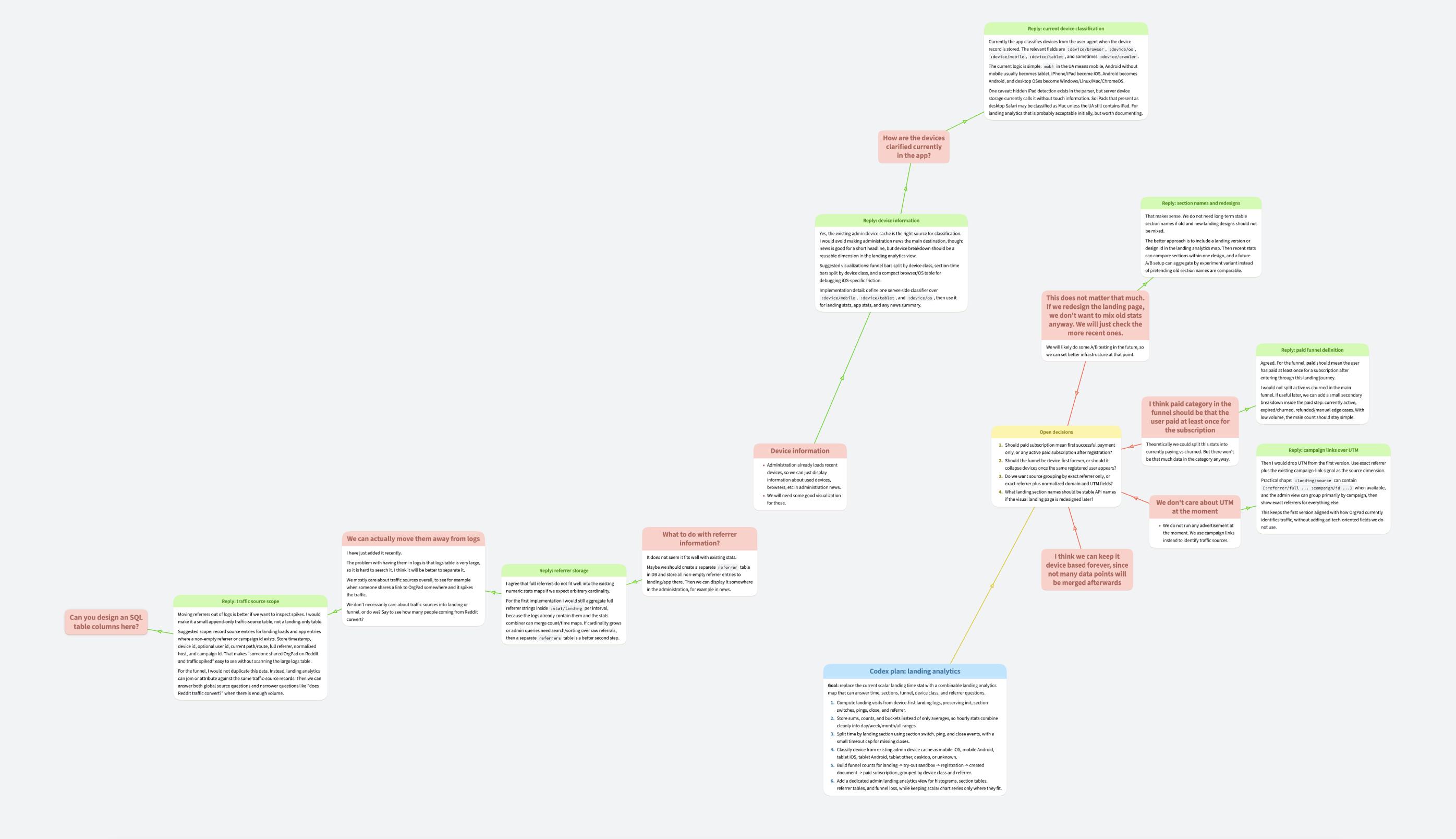
As another experiment, we tried non-linear chat with Codex. When you want to discuss something complicated in AI chat apps, it is difficult to make sense of a branching conversation spanning different directions. OrgPad's infinite canvas can help with that.
We tested this when we needed to plan analytics for our new landing page. Our analytics are completely built in-house, so your data are protected and never shared with any third party. The goal was to extend them with new landing page events.
We arranged the following communication protocol with Codex: it will write messages inside the given OrgPage. We will write replies and further questions attached to these messages. It will periodically check the document through the API (say every 30 seconds), and when it sees a new cell with some question, it creates its own green reply cell attached to it.
It worked really well, we could go through the document, read everything, think about it, write further ideas and questions, and a little bit later, we would get a structured reply while using the full power of OrgPad.
We believe this approach is really promising, and with better integration, OrgPad could make AI chats much more powerful for exploring complex topics.